 PH
PHBillsAndBytes
Forum Guru
1. Add the Tampermonkey Chrome extension from the link below:
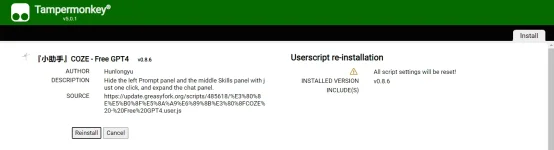
2. Install the ChatGPT4 script below to your Tampermonkey extension in Chrome:
You do not have permission to view the full content of this post. Log in or register now.
3. Access the ChatGPT4 bot store from the link below:
You do not have permission to view the full content of this post. Log in or register now.
4. Choose "Continue with Google."
5. Click on the Tampermonkey extension and click on the first option
about three times until it turns green, just as seen in the photo below:
NB: Close any popup that is generated from the clicks or choose OK
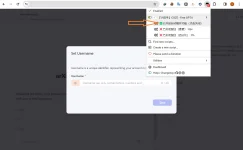
6. Choose Username and Save
7. Refresh Page
You're now enjoying ChatGPT4 for a lifetime.
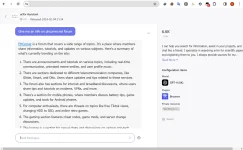
Hurray!!!!


Spoiler contents are visible only to Established Members.
2. Install the ChatGPT4 script below to your Tampermonkey extension in Chrome:
You do not have permission to view the full content of this post. Log in or register now.
3. Access the ChatGPT4 bot store from the link below:
You do not have permission to view the full content of this post. Log in or register now.
4. Choose "Continue with Google."
5. Click on the Tampermonkey extension and click on the first option
about three times until it turns green, just as seen in the photo below:
NB: Close any popup that is generated from the clicks or choose OK
6. Choose Username and Save
7. Refresh Page
You're now enjoying ChatGPT4 for a lifetime.
Hurray!!!!

