 PH
PHBluestack + Bluestack Tweaker
Anong Ibig Sabihin Nang BlueStack tweaker?BlueStacks Tweaker is a free program designed for detailed setup of the famous android emulator BlueStacks.
The BSTweaker utility is a small portable application with a simple Russified interface consisting of only two tabs. The main tab "General" contains the main application settings. Here users can find full information about BlueStacks emulator installed on their computer (software version, system and SDCard memory, application installation folder, data storage folder and shared folders). In addition, the "General" interface contains settings that allow you to change many parameters directly related to the work of the emulator. Using them, you can set the right size for the system and memory card, change the size of the emulator's RAM, change the standard of graphics processing (OpenGL, DirectX 9, DirectX 11), set the appropriate size of the window and the resolution of the emulator screen. You can also change the storage folder and set up shared folders. Additional BSTweaker options include editing tools and ID parameters, such as GUID (IMEI), AndroidID and Google Advertising ID. In addition, the advanced settings of the utility allow you to interact with services that run during the BlueStacks emulator: BS Android, BS Log Rotator, BS Updater, etc. Thanks to them, the user no longer has to run the Windows Task Manager to disable or pause any running process.
BlueStacks Tweaker also has special features that allow you to start, stop, restart and completely disable the emulator. Also, users of the program can use such functions as support of work with several profiles, in each of which you can set your own settings and the ability to use different models of emulated devices. For example, choose an ASUS Nexus 7 tablet, HTC EVO smartphone or any other android device.
In the additional tab of the "Experimental" utility there are some specific settings, namely the tools for installing Xposed (programs to change the settings of applications, firmware, patches and add-ons to the operating system). There is also functionality for working with Google accounts, a tool for editing the BSProp system file and a function for working with the console (command line).
Anong Ibig Sabihin Nang BlueStack?
BlueStacks 4 - Every update, a new level!
With an updated UI, a refreshing new look and feel of the Player, and spicy game collections, the You do not have permission to view the full content of this post. Log in or register now. is a gamer's paradise. Experience ease of access and simplified usability of all the features right at your fingertips!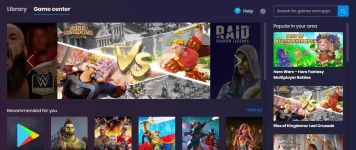
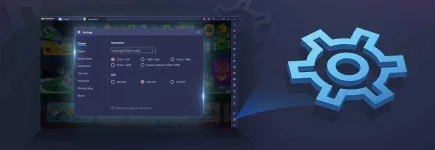
Step into an improved and upgraded You do not have permission to view the full content of this post. Log in or register now.. Now, customize BlueStacks to suit your PC/Laptop and to match your pace!
Next, have a look at the You do not have permission to view the full content of this post. Log in or register now.. It's always by your side with numerous features to enhance your gameplay experience. View/edit game controls, show/hide key controls and much more in a single click!
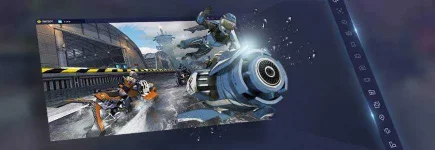
Whether you're new to a game, or a veteran, the You do not have permission to view the full content of this post. Log in or register now. will come handy for viewing/editing game controls and changing control schemes. Watch videos for highly popular games that are embedded in the Game Guide itself!

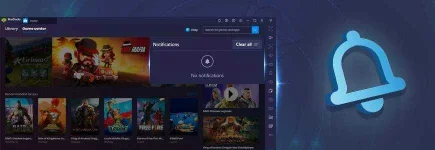
Don't want to miss notifications for your favorite games? Have a look at the compact You do not have permission to view the full content of this post. Log in or register now.. It's zippy, saves system power and even lets you customize your notification preferences!
Want to play with your gamepad/controller on BlueStacks? Check out how easy it is to You do not have permission to view the full content of this post. Log in or register now.! Sit back, relax and slay with a flick of your thumb.
Pro-tip: Enable You do not have permission to view the full content of this post. Log in or register now. for games that have in-built gamepad controls.
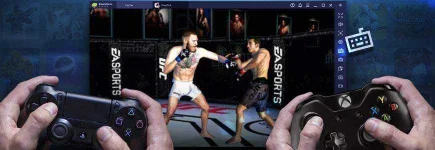
Presenting, the You do not have permission to view the full content of this post. Log in or register now.! With this, you can create replicas of your BlueStacks, which will help immensely in games that require you to farm.
You can also play You do not have permission to view the full content of this post. Log in or register now. through this (only on BlueStacks 4.200 and above).
Have a look at our You do not have permission to view the full content of this post. Log in or register now.. With games such as PUBG: Mobile, Call of Duty: Mobile, Free Fire and more in this list, becoming an MVP has never been easier.
You may also refer to the You do not have permission to view the full content of this post. Log in or register now. for more information and updates around your favorite games.
Much more to look forward to:
Advanced game controls- New simplified UI for key mapping features.
- Custom controls scheme has been added facilitating the user to save custom key mapping profiles.
- Script is a powerful editor inside Game Controls that allows gamers to execute various functions such as touch, mouse click and mouse wheel movement on tap of one key in games such as PubG Mobile, Mobile Legends and Lineage Revolution Mobile.
The list of games with in-built smart controls on BlueStacks is constantly growing. Play your favorite games like PUBG: Mobile, Free Fire, COD: Mobile, Standoff 2 and many more with carefully designed predefined controls for intuitive gameplay and fast-paced action.
Have some questions?
Q. What changes have been made to BlueStacks recently?A. BlueStacks is constantly changing and improving its features. Please search on our support page by your BlueStacks version number to know what changes have been made to it.
Q. I want to request a particular feature to be added to BlueStacks in future. Is that possible?
A. BlueStacks has become what it is only because of users like you. Follow us on Facebook, Disqus, Reddit and more by clicking on the icons at the end of this article. We'll be glad to hear from you!
Q. I'm using an older version of BlueStacks and it feels slow. What should I do?
A. We suggest you upgrade to the latest version of BlueStacks. Improvements and added app compatibility make it faster with every update. Still, if BlueStacks feels slow.
Q. Where can I download the latest version of BlueStacks?
A. Before updating, please ensure that you're not using the latest version already.
System requirements for BlueStacks 4
Minimum system requirements- OS: Microsoft Windows 7 and above.
- Processor: Intel or AMD Processor.
- RAM: Your PC must have at least 2GB of RAM. (Note that having 2GB or more disk space is not a substitute for RAM)
- HDD: 5GB Free Disk Space.
- You must be an Administrator on your PC.
- Up to date graphics drivers from Microsoft or the chipset vendor.
However, for a superior gaming experience, Recommended System Requirements are mentioned below.
Recommended system requirements
- OS: Microsoft Windows 10
- Processor: Intel or AMD Multi-Core Processor with Single Thread benchmark score > 1000.
Graphics: Intel/Nvidia/ATI, Onboard or Discrete controller with benchmark score >= 750.
You can go through the detailed guide we have made on how to find the benchmark score of your You do not have permission to view the full content of this post. Log in or register now. - RAM: 8GB or higher
- HDD: SSD (or Fusion/Hybrid Drives)
- Internet: Broadband connection to access games, accounts and related content.
- Up to date graphics drivers from Microsoft or the chipset vendor.
- You can install BlueStacks even if you have a virtual machine such as Microsoft Virtual PC, VMWare Workstation, or Oracle Virtualbox, installed on the same PC. However, please note, that you may run into some performance issues.
Si Pc/Laptop Ang bahala sa pagdodownload po kysa gamit nyo po ang Android phone na titirahin ang battery po.
kagaya nang IDM, At saka Videorder Video Downloader po na gamit po si Bluestack.
Sa Instrcution po nang Videorder Video Downloader click Here
Gusto Nyo Po Ehh download si BlueStack + Bluestack Tweaker
Dito PO click
You do not have permission to view the full content of this post. Log in or register now.
Thank you po, and Godbless Po.

