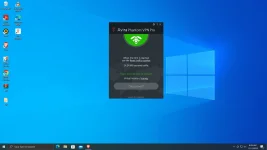
🔗 Direct Link Avira Phantom VPN Pro

salamat po TS
Gagawa nalang ako ng bagong Thread if mahanapan ko ng solusyon

not working sakin, laging error


Eto ang Fix sa "Unknown Error"

1st, download this Fix File
FIX

Note: First, make sure that the Avira app is closed.
to make sure: Open Task Manager>Processes
then END TASK these apps
1. Avira Phantom VPN
2. VpnService

After that, extract the Fix file, then copy all of the files from the VPN folder and put them here
C:\Program Files (x86)\Avira\VPN.

Thats it! Done.

VISIT MY NEW THREAD Avira Phantom VPN PRO+FIX+VIDEO TUT
 
Gagawa nalang ako ng bagong Thread if mahanapan ko ng solusyon


Eto ang Solution sa Unknown Error

Just download this Fix Folder


Note: 1st Make sure that the Avira app is closed.
to make sure: Open Task Manager+Processes+
then END TASK these apps
1.Avira Phantom VPN
2.VpnService

After that, extract the Fix folder, then copy all of the files from the VPN folder and put them into
C:\Program Files (x86)\Avira\VPN.

Thats it! Done.

Video tut ilalagay ko nalang sa gagawin kong new Thread. Thanks
thanks po kaso di ko makita hehe estab lang pwede po. newbie palang po ako
 
Gagawa nalang ako ng bagong Thread if mahanapan ko ng solusyon


Eto ang Solution sa "Unknown Error"

Just download this Fix File
FIX

Note: First, make sure that the Avira app is closed.
to make sure: Open Task Manager>Processes
then END TASK these apps
1. Avira Phantom VPN
2. VpnService

After that, extract the Fix folder, then copy all of the files from the VPN folder and put them here
C:\Program Files (x86)\Avira\VPN.

Thats it! Done.

VISIT MY NEW THREAD Avira Phantom VPN PRO+FIX+VIDEO TUT
Untitled.webp
Thank you so much! gumana na po
 

About this Thread

  • 16
    Replies
  • 684
    Views
  • 7
    Participants
Last reply from:
Moonlight88

Online now

Members online
404
Guests online
1,718
Total visitors
2,122

Forum statistics

Threads
2,315,350
Posts
29,182,156
Members
1,183,549
Latest member
siuleduardo
Back
Top