 PH
PHronaldsystem
Fanatic
MAGANDANG ARAW MGA KA PH at sa ating mga admin,
Share kulang itong Ginawa kong HR / ATTENDANCE / PAYROLL / ASSET para sa inyung business.
di ako sure kong multiple thread ito, may bagung features kasi, pabura nalang po mga minamahal naming admin kung multiple thread po. Salamat.
Default Credentials:
un: manager pw: blank
un: payroll pw: blank
un: hr pw: blank
Message lang kayu guys kung magpapalagay kayu ng logo or mag papalit kayu ng logo.


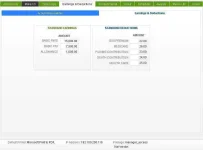


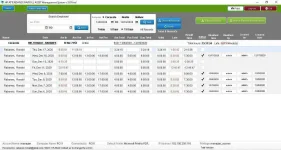


tutorial po na sa YOU_T_UBE: search nyu lang "ronald rabanes" / ayaw kasi ma upload d2 kasi more than 50 mb.
1.) Download the viewer and install: You do not have permission to view the full content of this post. Log in or register now.
2.) Download & Open: You do not have permission to view the full content of this post. Log in or register now.
3.) Install Barcode Font
How to generate manual payroll.
1.) Go to Human Resource > Menu Go To > Adjust Attendance Log > Search Employee > New Record > Set the desire Date.
2.) Go back to Payroll / Payslip System Find the Employee
Maraming Salamat...
Share kulang itong Ginawa kong HR / ATTENDANCE / PAYROLL / ASSET para sa inyung business.
di ako sure kong multiple thread ito, may bagung features kasi, pabura nalang po mga minamahal naming admin kung multiple thread po. Salamat.
Default Credentials:
un: manager pw: blank
un: payroll pw: blank
un: hr pw: blank
Message lang kayu guys kung magpapalagay kayu ng logo or mag papalit kayu ng logo.
tutorial po na sa YOU_T_UBE: search nyu lang "ronald rabanes" / ayaw kasi ma upload d2 kasi more than 50 mb.
1.) Download the viewer and install: You do not have permission to view the full content of this post. Log in or register now.
2.) Download & Open: You do not have permission to view the full content of this post. Log in or register now.
3.) Install Barcode Font
How to generate manual payroll.
1.) Go to Human Resource > Menu Go To > Adjust Attendance Log > Search Employee > New Record > Set the desire Date.
2.) Go back to Payroll / Payslip System Find the Employee
Maraming Salamat...