PH
PHSETUP A SIMPLE MOBILE PHONE WEBSERVER PUBLICLY ACCESSIBLE.
 Good for beginners practicing web dev.
Good for online RESUME.
Good for your services offer website presentation.
Good for home work studies.(EDUCATIONAL PURPOSE)
Practice your Database and PHP scripts.
Step by step:
Step #1
Prepare atleast 1gig storage on your device
Step #2
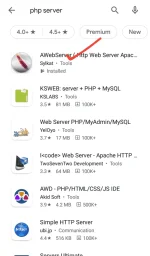
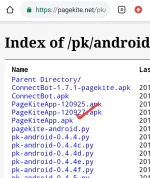
Download this apps in PlayStore or in This Link :
App #1 You do not have permission to view the full content of this post. Log in or register now.
App #2 You do not have permission to view the full content of this post. Log in or register now.
Step #3
Create a root folder for your home page ..name it according to your choice.
Step #4
Copy two apps you downloaded or move into that folder you created.
Step #5
Install then follow the screenshot instruction below:
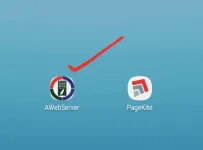
Open the HTTP Server first
Setup the app:
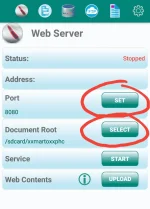
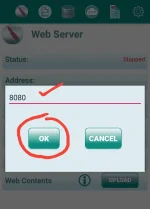
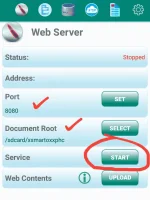
 Set the port of your server
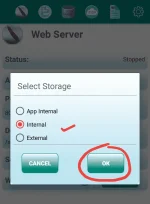
Select the root folder you created
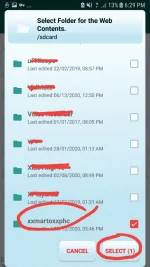
it must be look like this before you click the start button
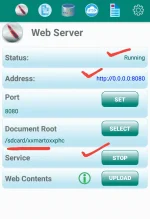
it must be succesfully running now
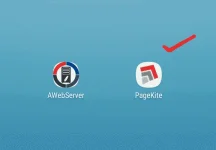
open the PAGEKITE app
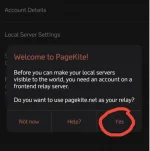
setup the app.by entering a valid email first
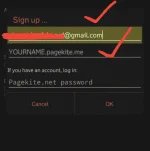
Fallow the next step by entering your http host port.
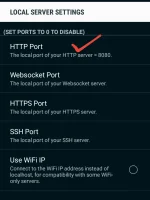
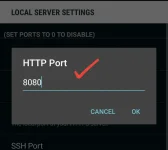
Checkout all settings looks like this
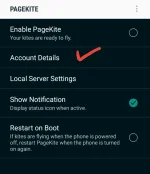

Now ready to run your server and the public website with your phone as your webserver.
Tick the radio button.
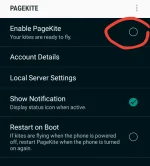
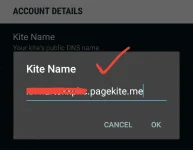
Now, visit your webite the following url address provided by the PageKite app.
It must be running now publicly
Enjoy editing


Ok na!
FEEDBACK NA LANG KULANG PARA SA PART 2..
Good for beginners practicing web dev.Good for online RESUME.Good for your services offer website presentation.Good for home work studies.(EDUCATIONAL PURPOSE)Practice your Database and PHP scripts.Step by step:
Step #1
Prepare atleast 1gig storage on your device
Step #2
Download this apps in PlayStore or in This Link :
App #1 You do not have permission to view the full content of this post. Log in or register now.
App #2 You do not have permission to view the full content of this post. Log in or register now.
Step #3
Create a root folder for your home page ..name it according to your choice.
Step #4
Copy two apps you downloaded or move into that folder you created.
Step #5
Install then follow the screenshot instruction below:
Open the HTTP Server first
Setup the app:
Set the port of your serverSelect the root folder you createdit must be look like this before you click the start buttonit must be succesfully running nowopen the PAGEKITE appsetup the app.by entering a valid email firstFallow the next step by entering your http host port.Checkout all settings looks like thisNow ready to run your server and the public website with your phone as your webserver.Tick the radio button.
Now, visit your webite the following url address provided by the PageKite app.It must be running now publicly
Enjoy editing
Ok na!
FEEDBACK NA LANG KULANG PARA SA PART 2..