PH
Note!!! this instruction is not 10000% work with everyone.
1. You need to have atleast 1 day Pro Account
2. Download Windscribe in your PC
3. Log in the Account
4. when connected go to firewall then block this WindscribeService.exe then restart
5. after restart removed the WindscribeService.exe from firewall block (dont restart)
6. Open Windscribe and Connect to any server
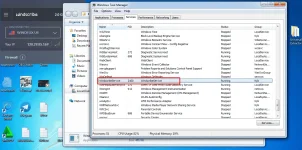
7. Open task manager then go to service find WindscribeService vpn then below that you can see the server you are connected just stop
3. even tho it is stopped it will still work
8. wait until that day expired for example i create my account dec 5 11pm then the expired is dec6 11pm
9. Dont disconnect your Windscribe vpn wait until past expired
10. when it is already expired but you can still on PRO
11. goto service again then find the server you are connected click run
12. after that force to shutdown your computer by pressing the powerbutton from system unit or if u are using vmware just end task the vmware
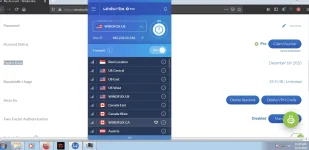
13. open your pc again or vmware and you can see it is still in PRO even thought your acc is expired
Eto katibayan You do not have permission to view the full content of this post. Log in or register now. na bug sya