 PH
PHDo you want a little extra eye-candy in your Windows Desktop? Install T3Desk on your Windows. T3Desk is an alt-tab alternative that gives you 3D windows arrangement and more. T3Desk lets you manage your applications more easily in a 3D desktop adding the third dimension to your Windows screen. With T3Desk you can configure your 3D window animation, transparency effect, the 3D initial angle and distance, the transition effects and more.
T3Desk is built to work on all Windows version From Windows 95 to Windows 7. For windows XP and the older version maybe you need Microsoft .NET FrameWork installed in your Windows OS.
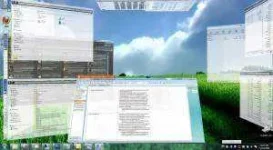
Screenshot T3Desk Installed on Windows 7
How to use T3Desk on your Windows Operating System
T3Desk is built to work on all Windows version From Windows 95 to Windows 7. For windows XP and the older version maybe you need Microsoft .NET FrameWork installed in your Windows OS.
Screenshot T3Desk Installed on Windows 7
How to use T3Desk on your Windows Operating System
- Download and install the software.
- After installing T3Desk you can use keyboard shortcuts to minimize and maximize windows to the edges of your monitor, arranging them in a 3D fashion.

