PH
PHHellosarms
Journeyman
Guys share ko lang to
It was possible to save the dynamic lock screen backgrounds randomly shown when you log in to your You do not have permission to view the full content of this post. Log in or register now. computer. If you don’t know what I’m talking about, go to Settings > Personalization > Lock screen and under Background, and you should see “Windows spotlight”
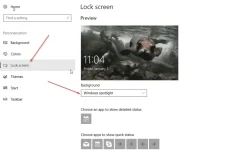
And yes, it is possible to save this dynamic backgrounds. Here is how you do it.
Press the Windows Key plus R on your computer keyboard, and the RUN command should come up. type this string:
%userprofile%\AppData\Local\Packages\Microsoft.Windows.ContentDeliveryManager_cw5n1h2txyewy\LocalState
and then click OK. Copy the Assets folder to a different location i.e. your Downloads folder.
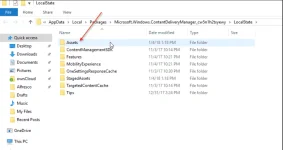
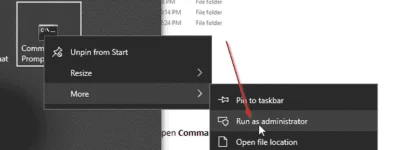
Once you have copied the Assets folder to a different location, open the Command Prompt as Administrator:
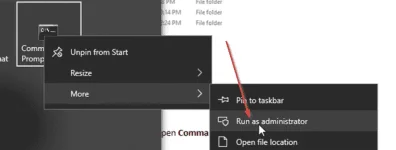
And then change the path to the Assets folder you copied earlier. In my case, that would be:
%userprofile%\Downloads\Assets\
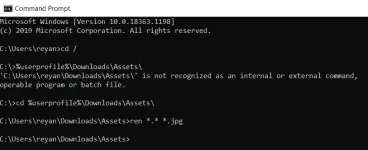
ren . *.jpg
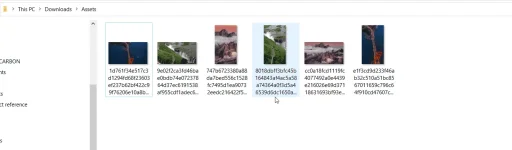
Open the folder using Windows Explorer, and you should see all the background images there!
It was possible to save the dynamic lock screen backgrounds randomly shown when you log in to your You do not have permission to view the full content of this post. Log in or register now. computer. If you don’t know what I’m talking about, go to Settings > Personalization > Lock screen and under Background, and you should see “Windows spotlight”
And yes, it is possible to save this dynamic backgrounds. Here is how you do it.
Press the Windows Key plus R on your computer keyboard, and the RUN command should come up. type this string:
%userprofile%\AppData\Local\Packages\Microsoft.Windows.ContentDeliveryManager_cw5n1h2txyewy\LocalState
and then click OK. Copy the Assets folder to a different location i.e. your Downloads folder.
Once you have copied the Assets folder to a different location, open the Command Prompt as Administrator:
And then change the path to the Assets folder you copied earlier. In my case, that would be:
%userprofile%\Downloads\Assets\
ren . *.jpg
Open the folder using Windows Explorer, and you should see all the background images there!