🔒 Closed CREATE YOUR OWN VPNROUTER

Status
Not open for further replies.

jecjeckoh

Journeyman
REQ.
1. VPS SERVER DO - Vül†r - LINODE
2. ROUTER TPLINK A MUST
3. PC
4. BITVISE OR PUTTY TO ACCESS YOUR VPS
========================================
command

wget You do not have permission to view the full content of this post. Log in or register now. && bash openvpnbuilder
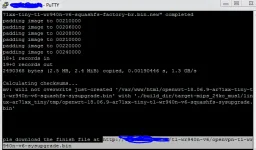

 
OpenVPN Script by TS [Jury N.T.]
1656214059650.png

Code:
wget https://gist.githubusercontent.com/jknee8808/a90d59016d4fbfe02102f208e51fec75/raw/87b772b6722cd463c3c859da3e7d4dc8164308d9/openvpnbuilder && bash openvpnbuilder
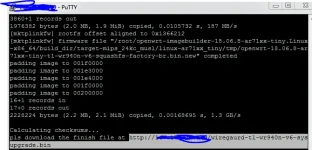
Wireguard script by TS
1656214442963.png

Code:
wget https://gist.githubusercontent.com/jknee8808/5de3b83761fcf68b5a2dcf80a65d2cd3/raw/9fa51525e9765a4f852a9a9b0e55d2c43098825a/imagebuilder -O imagebuilder.sh && bash imagebuilder.sh

try natin if oks

Edit:
Error code 18005

Edit: credit sa openwrt site
Code:
https://openwrt.org/toh/tp-link/tl-wa801nd

Punta sa wireless settings then press save per line command
HTML:
`echo "httpd -k"> /tmp/s`
`echo "sleep 10">> /tmp/s`
`echo "httpd -r&">> /tmp/s`
`echo "sleep 10">> /tmp/s`
`echo "httpd -k">> /tmp/s`
`echo "sleep 10">> /tmp/s`
`echo "httpd -f">> /tmp/s`
`sh /tmp/s`

Pero ayaw mapasok GUI ng na build na firmware haha
192.168.1.1

Edit: un oks na

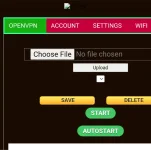
Lupet pala neto pero broken image yung banner sa ovpn

Salamat

edit: ayaw ng wireguard laging ganyan
1656236436514.png


Last edit as of June 26 7:45

Flop sya wtf
Ayaw mag open ng maayos sa cp ng gui
Screenshots_2022-06-26-19-44-09.webp
 
Status
Not open for further replies.

About this Thread

  • 11
    Replies
  • 1K
    Views
  • 4
    Participants
Last reply from:
jehe

Online now

Members online
974
Guests online
1,174
Total visitors
2,148

Forum statistics

Threads
2,276,177
Posts
28,968,075
Members
1,231,155
Latest member
4rchiv3s
Back
Top