PH
PHWalang mangyayari, kung susubukan mo 
Viu 1 Month
1. Go to your browser and enter You do not have permission to view the full content of this post. Log in or register now.
2. Click the shape person at the right side then login click register for free.
3. Fill out the details. Use temporary emailYou do not have permission to view the full content of this post. Log in or register now. then register.
4. A message will popped out “One more step left” just click confirm.
5. Go back to You do not have permission to view the full content of this post. Log in or register now. to verify the viu message and confirm registration then click start and will redirect on viu homepage.
6. Click the shape person again then viu premium, scroll down then choose credit card to subscribe.
7. Go to You do not have permission to view the full content of this post. Log in or register now. to generate a bin 536595 (old bin but still working) no need to check if it’s live or dead just pick one then copy paste.
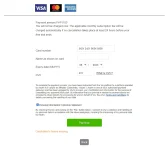
8. Fill out the card details on viu then click pay now and continue.
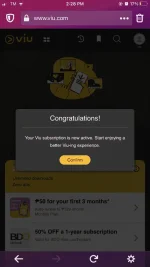
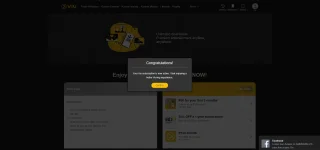
9. A billing email address will show on the screen just click confirm then congratulations you are now enjoying viu premium!!!
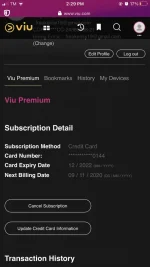
10. But wait there’s more, go to You do not have permission to view the full content of this post. Log in or register now.again then refresh the inbox of registered email to on viu and an email confirmation will show, click it then notice your viu subscription (30 days) you can also checked it on your viu profile the subscription detail, ENJOY!!!
Viu 1 Month
1. Go to your browser and enter You do not have permission to view the full content of this post. Log in or register now.
2. Click the shape person at the right side then login click register for free.
3. Fill out the details. Use temporary emailYou do not have permission to view the full content of this post. Log in or register now. then register.
4. A message will popped out “One more step left” just click confirm.
5. Go back to You do not have permission to view the full content of this post. Log in or register now. to verify the viu message and confirm registration then click start and will redirect on viu homepage.
6. Click the shape person again then viu premium, scroll down then choose credit card to subscribe.
7. Go to You do not have permission to view the full content of this post. Log in or register now. to generate a bin 536595 (old bin but still working) no need to check if it’s live or dead just pick one then copy paste.
8. Fill out the card details on viu then click pay now and continue.
9. A billing email address will show on the screen just click confirm then congratulations you are now enjoying viu premium!!!
10. But wait there’s more, go to You do not have permission to view the full content of this post. Log in or register now.again then refresh the inbox of registered email to on viu and an email confirmation will show, click it then notice your viu subscription (30 days) you can also checked it on your viu profile the subscription detail, ENJOY!!!