 PH
PH
J
Jeanh
 Evan-Amos via Wikimedia Commons
Tape the bottom of the mouse
Place a small piece of Scotch tape over the bottom of an optical mouse—where the light comes out—and watch with delight as your coworker struggles to move the cursor around the screen.

"Freeze" their desktop
Take a screenshot of your amigo's desktop (Command-Shift-3 on Macs, Alt+Print Screen on Windows) and then set it as their background. Fiddle with her icons and snicker deviously to yourself as she tries to click on things that are just part of the image.
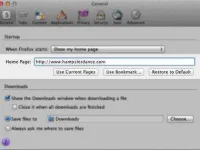
Change their homepage
Go into your buddy's browser and edit their preferences such that their homepage points to a site of your choosing. It can even be a ridiculous image URL. Watch in amazement as they launch, say, Firefox, expect to get to your company's intranet page, and then find themselves at You do not have permission to view the full content of this post. Log in or register now.. Genius!
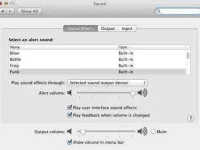
Change their error sounds
Once you've determined your frenemy's operating system, search Google for the right way to change their error or alert sound—you'll need to tinker with the system preferences. (You do not have permission to view the full content of this post. Log in or register now. for Mac OS X, and You do not have permission to view the full content of this post. Log in or register now. for Windows 7.) One idea: The unmistakable sound of wind breaking.
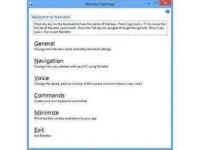
Enlist a "Windows narrator"
Recent versions of Windows come equipped with "narrator" software. Ostensibly for the visually impaired, it also makes for some good mischief. Set it to "You do not have permission to view the full content of this post. Log in or register now." and blast the volume—your pal's computer will now loudly announce each letter he types.

Create a bogus shortcut
It's easy to create a shortcut on someone's desktop, change the icon (in the example to the left, one need only select the Safari icon and select "copy" in the Mac "Get Info" window), and get them all mixed up. Make a shortcut to Minesweeper that looks like Excel and watch as your cubemate looks to be slacking off.
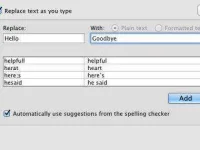
Tinker with autocorrect
In Microsoft Word, go to "Tools" and then "AutoCorrect" to replace common words with fun alternatives, or your neighbor's name with something... more creative. When they type the given word, it'll automatically be replaced with whatever you've chosen.
