 PH
PHInternet Download Manager (IDM) is a tool to increase download speeds by up to 5 times, resume and schedule downloads. Comprehensive error recovery and resume capability will restart broken or interrupted downloads due to lost connections, network problems, computer shutdowns, or unexpected power outages.
IDM integrates seamlessly into Internet Explorer, Chrome, Opera, Firefox, Avant Browser, and all other popular browsers to automatically handle your downloads. You can also drag and drop files, or use Internet Download Manager from command line. The program supports proxy servers, ftp and http protocols, firewalls, redirects, cookies, authorization, MP3 audio and video content processing.
idm 6.38 build 6 with p.a.t.c.h - You do not have permission to view the full content of this post. Log in or register now.
idm 6.38 build 7 - You do not have permission to view the full content of this post. Log in or register now. new!!!
Note:
- disable antivirus or windows defender before extraction.
- install idm build 7 use the same p.a.t.c.h inside,
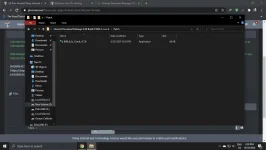
idm
IDM integrates seamlessly into Internet Explorer, Chrome, Opera, Firefox, Avant Browser, and all other popular browsers to automatically handle your downloads. You can also drag and drop files, or use Internet Download Manager from command line. The program supports proxy servers, ftp and http protocols, firewalls, redirects, cookies, authorization, MP3 audio and video content processing.
idm 6.38 build 6 with p.a.t.c.h - You do not have permission to view the full content of this post. Log in or register now.
idm 6.38 build 7 - You do not have permission to view the full content of this post. Log in or register now. new!!!
Note:
- disable antivirus or windows defender before extraction.
- install idm build 7 use the same p.a.t.c.h inside,
idm

