 PH
PHthonystarkz16
Fanatic
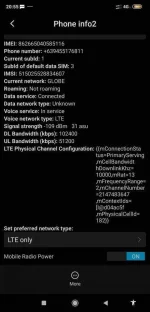
1.Just go to the settings of your phone.
2. About phone
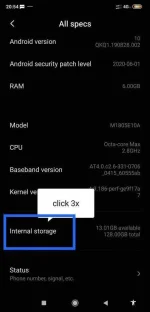
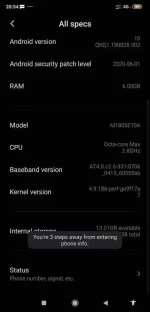
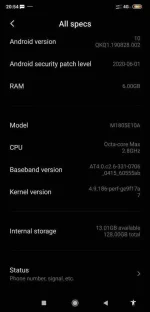
3. And click internal storage 3x.
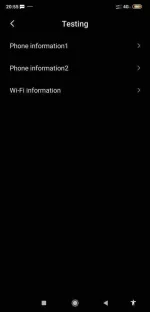
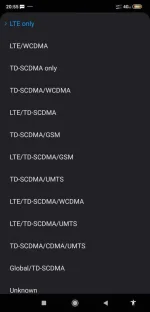
4. Click on which sim slot you need to force.
5. Choose LTE
Working in android 10
My device is xiaomi poco f1, note 7 and note 9
See attachment for more info..
2. About phone
3. And click internal storage 3x.
4. Click on which sim slot you need to force.
5. Choose LTE
Working in android 10
My device is xiaomi poco f1, note 7 and note 9
See attachment for more info..
Attachments
-
 IMG_20201004_205720.webp30.8 KB · Views: 35
 -
 Screenshot_2020-10-04-20-54-57-191_com.android.settings.webp31.6 KB · Views: 23
 -
 Screenshot_2020-10-04-20-54-52-505_com.android.settings.webp28.4 KB · Views: 23
 -
 Screenshot_2020-10-04-20-55-11-799_com.android.settings.webp10.5 KB · Views: 21
 -
 Screenshot_2020-10-04-20-55-31-813_com.android.settings.webp57.2 KB · Views: 19
 -
 Screenshot_2020-10-04-20-55-34-453_com.android.settings.webp28.8 KB · Views: 22
