 PH
PHabbyabbyab
Leecher
1. Download app by clicking this link
Terminal Emulator
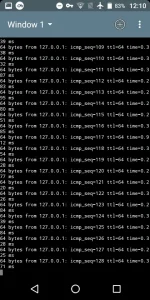
2. Open app and type "ping 127.0.0.1"
in windows 1 or windows 2 and press enter
3. Ensure you type in "ping 127.0.0.1"
4. If you made a mistake,tap a three dot icon and tap reset term
5. And Leave Terminal Emulator Running in background
4. You will see that you connection is Fast & Stable
Note:Terminal emulator allows a host computer to access another computer, including remote ones, through either a command-line interface or a graphical one. The communication is made possible using protocols such as Telnet and SSH.
Link: You do not have permission to view the full content of this post. Log in or register now.
Terminal Emulator
2. Open app and type "ping 127.0.0.1"
in windows 1 or windows 2 and press enter
3. Ensure you type in "ping 127.0.0.1"
4. If you made a mistake,tap a three dot icon and tap reset term
5. And Leave Terminal Emulator Running in background
4. You will see that you connection is Fast & Stable
Note:Terminal emulator allows a host computer to access another computer, including remote ones, through either a command-line interface or a graphical one. The communication is made possible using protocols such as Telnet and SSH.
Link: You do not have permission to view the full content of this post. Log in or register now.

 salamat po dito.


