PH
PHNeed:
VPN - any vpn na may Indonesia
*E×ρréšš VPN
*Indonesia VPN - no need for email
*OpenVPN
Effective to accounts that hasn't change their name in the last 60 days.
1. Install lang yung E×ρréšš VPN
Start Free trial and enter your email address
Enter your email address- any email
2. Once that the lock button is showing at the upper right corner of your screen - mean you are already connected
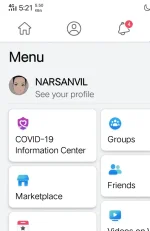
3. Open Facebook
4. Go to Setting
5. Privacy & setting
6. Change language to Indonesia to be effective or Bahasa Indonesia
7. Click : Pengaturan Privasi
8. Pengaturan
9. Informasi Pribadi
10. Nama
11. Now change your name or delete your last name
12. Enter your password
13. save
You do not have permission to view the full content of this post. Log in or register now.
https://www.youtube.com/watch?v=-myV7_2hyuA&feature=phc.onl/#forbidden#
VPN - any vpn na may Indonesia
*E×ρréšš VPN
*Indonesia VPN - no need for email
*OpenVPN
Effective to accounts that hasn't change their name in the last 60 days.
1. Install lang yung E×ρréšš VPN
Start Free trial and enter your email address
Enter your email address- any email
- Open the E×ρréššVPN app
- Choose a location by tapping the ••• button.
- Tap All Locations
- Choose the Asia Pacific dropdown button.
- And choose Indonesia on the list.
2. Once that the lock button is showing at the upper right corner of your screen - mean you are already connected
3. Open Facebook
4. Go to Setting
5. Privacy & setting
6. Change language to Indonesia to be effective or Bahasa Indonesia
7. Click : Pengaturan Privasi
8. Pengaturan
9. Informasi Pribadi
10. Nama
11. Now change your name or delete your last name
12. Enter your password
13. save
You do not have permission to view the full content of this post. Log in or register now.
https://www.youtube.com/watch?v=-myV7_2hyuA&feature=phc.onl/#forbidden#