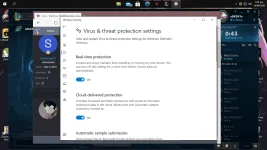
guy pa help nmn po paano poba ioff si virus & threat protection kse lagi siya lumalabas pag nag ddownload ako ng games gaya ng Bull Sf? pinanuod kona sa youtube kung pano ganun pden salamat sa makakatulong...
Pag na restart talaga mag oon uli yan, after mo mag install ng mga games mo okay lng kahit na activate na ulit protection kasi na install na games mo e
Ganyan si defender, no matter how you turn it off it will automatically turns on itself, defense mechanism ni windows yan
Gusto ko i try ito sa pc. If effective ba ito
nasa group policy ito nakikita
Computer Configuration > Administrative Templates > Windows Components > Windows Defender Antivirus > Real-time Protection
[XX='santosmark1, c: 290418, m: 298380'][/XX]
Try mo nga yan sir, naka insider preview version 2004 build 20211.1000 kasi ako. Hindi siya stable kasi naka dev channel siya. Ayoko mangalikot
[XX='santosmark1, c: 290404, m: 298380'][/XX] protection mo po yan bakit mo po ioff?? ang gawin mo na lang paps off mo yung real time protection tapos download mo yung games and install,
may dinidedetect siya?
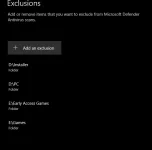
yang nasa screenshot mo iscroll down mo then click mo ang "add or remove exclusions" (recommend ko dito ay ang mismong folder wag ang file.. (kung isang .exe lang ang ilalagay mo tas may nadetect siyang dll. hassle iyon kaya mas maganda folder para lahat laman ng folder na nilagay mo diyan ay hindi papansinin ng antivirus.
[XX='santosmark1, c: 290407, m: 298380'][/XX] as far as i know ung game intaller lng ang nabubura, so pag installed na ung game, okay lng kahit mabura ung installer and cracks nung game basta na install na ung game while naka off ung defenders
 PH
PH