PH
PH
P
PurpleFox

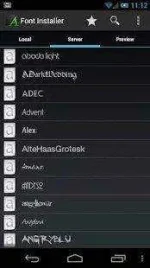
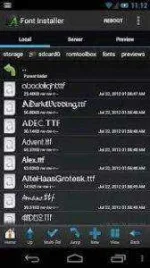
Font Installer
Font Installer overwrites the font files in the /system/fonts directory. To install a font you must have root access and S-OFF (for HTC devices). Some apps use their own font and cannot be overwritten by Font Installer.
Before attempting to install any fonts please make sure you backup your fonts. You should also have a current nandroid backup.
Font Installer needs to overwrite the correct system files. Please make sure you have the correct fonts selected to be overwritten.
If you’re running Android 4.0 ICS or newer, make sure Roboto-Regular.ttf is selected.
If you’re running Android 3.X or earlier, make sure DroidSans.ttf is selected.
If you’re running MIUI, make sure Arial.ttf is selected.
To change which fonts get overwritten open Font Installer and click Menu >> Preferences >> Select Fonts.
How do I restore the original font?
To restore your font to the default system font press the menu button while inside Font Installer, click “Backup and Restore”, and restore the original fonts you had (assuming you made a font backup before changing fonts).
Alternatively, you can choose the accurate font for your Android OS version according to the list below:
If you’re running Android 4.0 ICS or 4.1 JellyBean, install the “Roboto” font.
If you’re running Android 3.X or earlier, install the “DroidSans” font.
If you’re running MIUI, install the “Arial” font.
If all else fails, a last resort would involve re-flashing your ROM or restoring a nandroid backup of the /system partition (a factory reset would not touch the system partition where fonts are stored).
Crack Info
ADs Removed