 PH
PH Hi sa mga naghahangad ng email address na hindi google mail, yahoo mail, or whatever... hetong libreng email para sa inyo. Paunahan na lang.
Nag-purchase kasi ako ng domain tapos naka-promo ang 3 years email hosting.
So, heto na nga...
Login kayo by clicking You do not have permission to view the full content of this post. Log in or register now. .
Password: MeXV9*o8T_
Paunahan na lang...
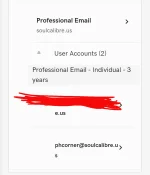
Visit my You do not have permission to view the full content of this post. Log in or register now. na din.
After nyong mapalitan yung password, para ma-access nyo ang email nyo using Outlook app or GMail app, sundin nyo lang to...
1. Sa GMail app, add email lang kayo then click "others".
2. Login using the email and password.
3. Choose "IMAP"
4. IMAP Server is imap.secureserver.net
5. SMTP Server is smtpout.secureserver.net
Mas madali sa Outlook app.. Add email lang kayo and select "others" then login na.
Nag-purchase kasi ako ng domain tapos naka-promo ang 3 years email hosting.
So, heto na nga...
Login kayo by clicking You do not have permission to view the full content of this post. Log in or register now. .
Password: MeXV9*o8T_
Paunahan na lang...
Visit my You do not have permission to view the full content of this post. Log in or register now. na din.
After nyong mapalitan yung password, para ma-access nyo ang email nyo using Outlook app or GMail app, sundin nyo lang to...
1. Sa GMail app, add email lang kayo then click "others".
2. Login using the email and password.
3. Choose "IMAP"
4. IMAP Server is imap.secureserver.net
5. SMTP Server is smtpout.secureserver.net
Mas madali sa Outlook app.. Add email lang kayo and select "others" then login na.
