PH
PHHello guys. Turuan ko lang kayo kung paano madownload ang ISO file ng Windows 10 from Microsoft Website. Para lang ito sa mga nagaalangan magdownload sa ibang website. The download link will only be available for 24 hours only upon creation kaya hindi ko mapost ang direct link.
Ang gamit ko dito ay Google Chrome Browser.
1. Go to Windows 10 Software Download site: You do not have permission to view the full content of this post. Log in or register now.
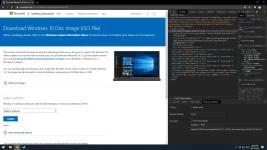
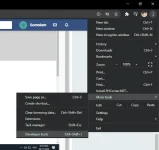
2. Sa Upper Right Corner, click niyo yung tatlong dots para lumabas ang menu, then More Tools > Developer Tools, or simply press F12 / Ctrl+Shift+I on your keyboard.
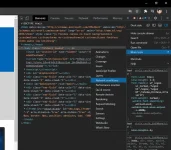
3. Sa Upper Left ulit ng Developer Tools, click niyo yung tatlong dot para lumabas ang menu, then More Tools > Network Conditions.
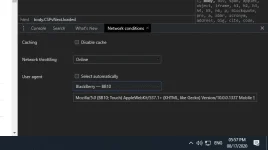
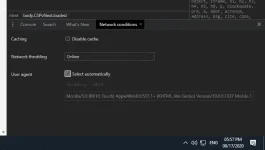
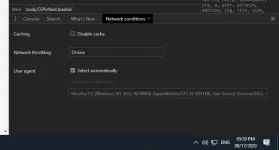
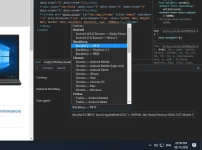
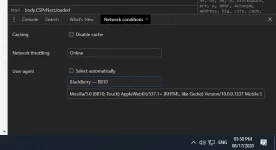
4. In User Agent part, uncheck niyo yung Select Automatically, then yung unang Dropdown Menu, palitan niyo yung Chrome - Windows ng Blackberry - BB10.
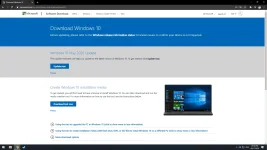
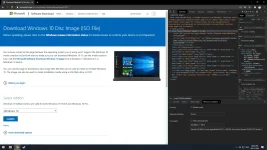
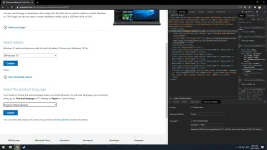
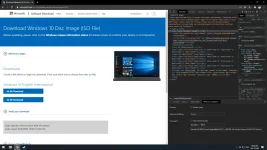
5. Refresh the page and you can now download the ISO File.
Ang gamit ko dito ay Google Chrome Browser.
1. Go to Windows 10 Software Download site: You do not have permission to view the full content of this post. Log in or register now.
2. Sa Upper Right Corner, click niyo yung tatlong dots para lumabas ang menu, then More Tools > Developer Tools, or simply press F12 / Ctrl+Shift+I on your keyboard.
3. Sa Upper Left ulit ng Developer Tools, click niyo yung tatlong dot para lumabas ang menu, then More Tools > Network Conditions.
4. In User Agent part, uncheck niyo yung Select Automatically, then yung unang Dropdown Menu, palitan niyo yung Chrome - Windows ng Blackberry - BB10.
5. Refresh the page and you can now download the ISO File.