PH
PHSteps
Step 1 - Go to this website: You do not have permission to view the full content of this post. Log in or register now.
Step 2 - Enter nyo yung gusto nyong maging Email, then save nyo yung email nayon
Step 3 - Go to Microsoftt Edu Website :
You do not have permission to view the full content of this post. Log in or register now.
Step 4 - Enter nyo yung ginawa nyong email then click On Get on started..
Step 5 - Select I'm Student and enter Random Details.
Step 6 - Check nyo yung email and kunin nyo yung verification code.. Enter in Code box.
Step 7 - Skip the Invite Section
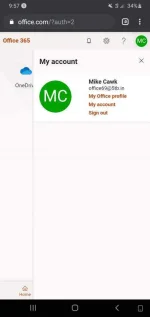
Step 8 - U got Office 365 and One Drive Storage without wasting time on Making Edu
Enjoy
Ps.
Kapag lologin nyo na like sa PC, Sign in nyo As Work or School Account.
 beasthäçk
Step 1 - Go to this website: You do not have permission to view the full content of this post. Log in or register now.
Step 2 - Enter nyo yung gusto nyong maging Email, then save nyo yung email nayon
Step 3 - Go to Microsoftt Edu Website :
You do not have permission to view the full content of this post. Log in or register now.
Step 4 - Enter nyo yung ginawa nyong email then click On Get on started..
Step 5 - Select I'm Student and enter Random Details.
Step 6 - Check nyo yung email and kunin nyo yung verification code.. Enter in Code box.
Step 7 - Skip the Invite Section
Step 8 - U got Office 365 and One Drive Storage without wasting time on Making Edu
Enjoy
Ps.
Kapag lologin nyo na like sa PC, Sign in nyo As Work or School Account.
beasthäçk