PH
PHSwitbolera
Honorary Poster
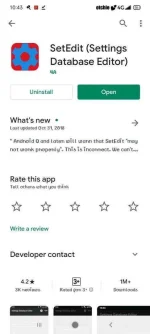
1. Download setedit on playstore.
2. Go to theme store (kung dun kayo kukuha ng theme na gagamitin nyo) (file manager naman kung nakasave na sa phone)
3. Click try theme.
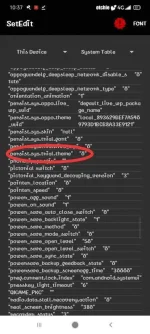
4. Go to setedit look for persist.sys.trial.theme then change the value to 0. (Makikita nyo may 1 dyan kapag nagtrial theme kayo)
5. Go to theme store again, click ulit try theme.
6. Repeat step #4
Note: 2 times nyo iaapply yung theme or font tas 2 times nyo din babaguhin sa setedit. Tas ok na yun permanent na.
Credits sa nakadiscover syempre
2. Go to theme store (kung dun kayo kukuha ng theme na gagamitin nyo) (file manager naman kung nakasave na sa phone)
3. Click try theme.
4. Go to setedit look for persist.sys.trial.theme then change the value to 0. (Makikita nyo may 1 dyan kapag nagtrial theme kayo)
5. Go to theme store again, click ulit try theme.
6. Repeat step #4
Note: 2 times nyo iaapply yung theme or font tas 2 times nyo din babaguhin sa setedit. Tas ok na yun permanent na.
Credits sa nakadiscover syempre