 PH
PHHow to copy Files with folders from My Drive to Team Drive?
I created a quick and dirty trick script for migrating into a shared drives storage.
This is good for those who have multiple folders in your My drive, since you cant move files with their folders into shared drives.
Step 1. make a copy of this You do not have permission to view the full content of this post. Log in or register now. or open the You do not have permission to view the full content of this post. Log in or register now.
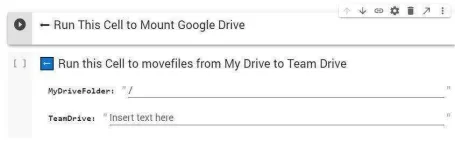
Step 2. Click Run This Cell to Mount
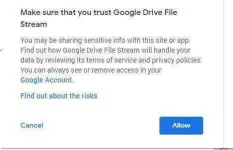
You will be prompted with an google link click the link and allow this script to edit your google drive
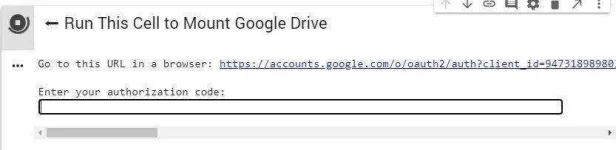
Copy the authorization code and paste it into Google Colab

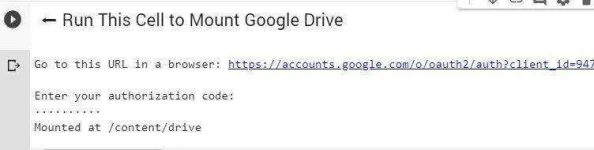
Step 3. Make sure your code is correct and press enter and you will see your cell would look like this
Step 4. Identify the folders that you want to copy
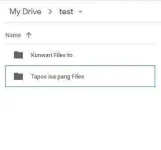
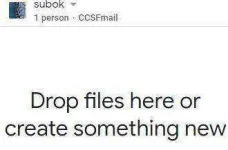
in my case from my Team Drive it's test and the name of my Shared drive is subok
Step 5. Then put it on the 2nd cell and run

And thats it. If you find any problem just comment down below
I created a quick and dirty trick script for migrating into a shared drives storage.
This is good for those who have multiple folders in your My drive, since you cant move files with their folders into shared drives.
Step 1. make a copy of this You do not have permission to view the full content of this post. Log in or register now. or open the You do not have permission to view the full content of this post. Log in or register now.
Step 2. Click Run This Cell to Mount
You will be prompted with an google link click the link and allow this script to edit your google drive
Copy the authorization code and paste it into Google Colab
Step 3. Make sure your code is correct and press enter and you will see your cell would look like this
Step 4. Identify the folders that you want to copy
in my case from my Team Drive it's test and the name of my Shared drive is subok
Step 5. Then put it on the 2nd cell and run
And thats it. If you find any problem just comment down below
