PH
PHSo the first thing to do, download this app first.
Link:
You do not have permission to view the full content of this post. Log in or register now. (60 MB)
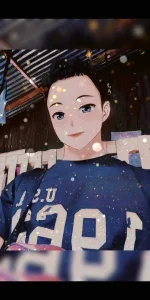
After mag download, install mo na. Then start the app, punta ka sa videos tab. Pili ka dun ng edit method na gusto mo. Mga videos yun. Tapos select mo yung gusto mo, tap yung pink button sa lower right ng video. Then select mo na yung picture mo na gusto mong i-edit. Then export. Done. Tignan mo na sa gallery mo yung video. Kung gusto mo ng picture file. Screenshot mo nalang.
P.S.: Chinese yung language ng app pero, di mo na kailangan pang basahin mag base ka nalang sa UI. Madali pang naman intindihin, parang tiktok lang siya.
Proof:

Proof:

Link:
You do not have permission to view the full content of this post. Log in or register now. (60 MB)
After mag download, install mo na. Then start the app, punta ka sa videos tab. Pili ka dun ng edit method na gusto mo. Mga videos yun. Tapos select mo yung gusto mo, tap yung pink button sa lower right ng video. Then select mo na yung picture mo na gusto mong i-edit. Then export. Done. Tignan mo na sa gallery mo yung video. Kung gusto mo ng picture file. Screenshot mo nalang.
P.S.: Chinese yung language ng app pero, di mo na kailangan pang basahin mag base ka nalang sa UI. Madali pang naman intindihin, parang tiktok lang siya.
Proof:
Proof: