 PH
PHGrandChaze16
Fanatic
Guys nahanap ko etong tutorial na ito and gusto ko ishare sa inyo lalo na sa mga nangangailangan ng desktop apps ng Office 365 na di available sa A1 plan ng ibang .edu mails.
So una is i-access yung link below:
You do not have permission to view the full content of this post. Log in or register now.
Fill up nyo lang yung last name, first name, and username na gusto nyo. (ung username is for the email yung before sa @)
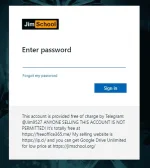
Then after i-submit ibibigay na yung email and password nyo na pwede nyo na i log-in sa Microsoft Office.
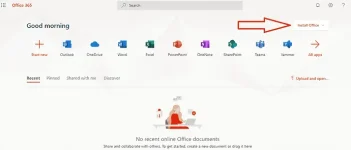
After maka log-in install nyo lang yung Office 365 and enjoy
Note: Papalitan nyo naman yung default password na ibibigay sainyo pag log-in sa microsoft office website.
So una is i-access yung link below:
You do not have permission to view the full content of this post. Log in or register now.
Fill up nyo lang yung last name, first name, and username na gusto nyo. (ung username is for the email yung before sa @)
Then after i-submit ibibigay na yung email and password nyo na pwede nyo na i log-in sa Microsoft Office.
After maka log-in install nyo lang yung Office 365 and enjoy
Note: Papalitan nyo naman yung default password na ibibigay sainyo pag log-in sa microsoft office website.
