PH
PH1- Download cookies extension for chrome or mozilla
Chrome /Opéra
You do not have permission to view the full content of this post. Log in or register now.
2. Copy all the code (cookie) and go to You do not have permission to view the full content of this post. Log in or register now.
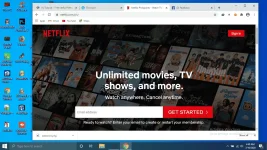
3. Stay on the home page of the Netflix account, then click on the "modify this cookie" icon at the top right of the browser, as shown below.
4. Then click on the import button and paste your cookie
Cookies file : You do not have permission to view the full content of this post. Log in or register now.
5. Then press the OK button. After pressing OK, refresh the page without doing anything. Once you refresh, you will directly access the Netflix Premium account automatically.
Chrome /Opéra
You do not have permission to view the full content of this post. Log in or register now.
2. Copy all the code (cookie) and go to You do not have permission to view the full content of this post. Log in or register now.
3. Stay on the home page of the Netflix account, then click on the "modify this cookie" icon at the top right of the browser, as shown below.
4. Then click on the import button and paste your cookie
Cookies file : You do not have permission to view the full content of this post. Log in or register now.
5. Then press the OK button. After pressing OK, refresh the page without doing anything. Once you refresh, you will directly access the Netflix Premium account automatically.