PH
PHGenesis Storm
Elite
------Kaspersky Security for Microsoft Office 365 for 6 months for free--------
Click this link: You do not have permission to view the full content of this post. Log in or register now.
-----------------------------------------------------------------------------------------------------------------------
Kaspersky Security for Microsoft Office 365 is the #1 choice when it comes to protecting your cloud-oriented enterprise communication and collaboration apps (Microsoft Exchange Online, OneDrive, SharePoint Online and Teams) from known and unknown cyberthreats.
While Microsoft’s default, built-in security controls provide only a basic level of security, Kaspersky Security for Microsoft Office 365 deals with known, unknown and advanced threats. It uses advanced heuristics, machine learning and other next-generation technologies to protect cloud-oriented enterprises from ransomware, malicious attachments, spam, phishing, Business Email Compromise (BEC) and unknown threats.
Kaspersky Security for Microsoft Office 365:
Click this link: You do not have permission to view the full content of this post. Log in or register now.
-----------------------------------------------------------------------------------------------------------------------
Kaspersky Security for Microsoft Office 365 is the #1 choice when it comes to protecting your cloud-oriented enterprise communication and collaboration apps (Microsoft Exchange Online, OneDrive, SharePoint Online and Teams) from known and unknown cyberthreats.
While Microsoft’s default, built-in security controls provide only a basic level of security, Kaspersky Security for Microsoft Office 365 deals with known, unknown and advanced threats. It uses advanced heuristics, machine learning and other next-generation technologies to protect cloud-oriented enterprises from ransomware, malicious attachments, spam, phishing, Business Email Compromise (BEC) and unknown threats.
Kaspersky Security for Microsoft Office 365:
- 99.6% anti-malware detection rate.
- 20% more efficient than Microsoft built-in protection
Kakagawa ko lang ngayon guys, di ko alam pano sya gamitin pero sa mga nakakaalam na kailangan nento sana magustuhan nyo.
PS: I do not own this trick or what, credits po sa kanya.
Detail by details picture:
Click mo lang yang try for 180 days, then ikaw na bahala magtuloy tuloy, kahit fake credentials na gamitin, for the email I use temporary email tas ki-confirm ko na den, then sa mga susunod na page around 10 pages yon basta kayo na bahala gumawa ng kung ano anong name, dun pala sa company name ang nilagay ko "Microsoft Philippines" then fake number hula hula lang yon HAHAHA, hanggang sa makaabot kayo sa mismong account nyo, ilogin nyo then check.

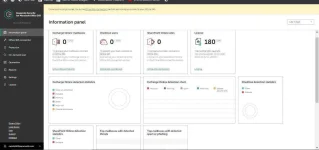
sa last page yung mismong account ganto lalabas:
ayan oh yung licence mo for 180 days.