PH
PH
How to use toolkit:
1. Run the toolkit;
2. Enter the own username to register;
3. Select the action as preferring;
4. Enjoy!
NOTE: Always select options as preferring before running the 1-Click Update IDM function. For example, if a user selected the Vietnamese language, the 1-Click update function will add Vietnamese package.
General features:
Supports IDM activation for all versions;
Toolkit section:
- Automatically download, install, activate and update the latest IDM (silent procedure);
- Download & install the newest IDM;
- Manually register IDM with own username;
- Auto reset IDM trial period (30-day trial period);
- Completely uninstall IDM from devices (full & default).
- Auto Update and activate IDM install AutoUpdate file to a computer, startup with Windows, automatically update and enable IDM when a new version is available;
- Auto reset IDM install the IDM TrialReset file to a computer, startup with Windows, automatically restore the trial period after counting the number of days (should remove full and then reinstall before using Trial)
- Clear registry leftovers of the previous IDM;
- Turn off annoying IDM notifications;
- Optimize IDM speed and connections: Increase connection speed and maximum connection number;
- Repair IDM Auto media download links on YouTube,...;
- Bilingual: English and Vietnamese (need to restart);
- Add new toolbars for IDM;
Screenshots:
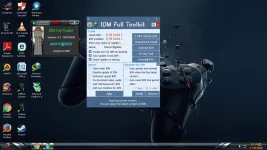
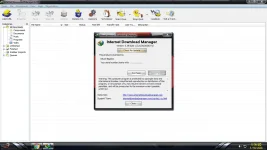
All credits go to the ptk911 who made and shared the toolkit with us!
NOTE: If you have antivirus, kindly exclude the app as it may be mistaken as a virus
File: IDM Toolkit.rar
You do not have permission to view the full content of this post. Log in or register now.: 13/60
MD5: 78A5CD1CBD323B25F60B3DF038C80725
SHA1: 6C3B37C36A48CE97A04D99C0E58CA78403507295
SHA-256: 3CFD806A78F1D79FC2844A8F5F094FE28E4F1306B29EED75BAD411DFE9A02532
Download Link [Version 4.3] [Filesize: 1.1MB]: