PH
PHTools Needed
1. MSWord 2003 or Higher Version
Procedure:
1. Upload your the protected Pdf file to:You do not have permission to view the full content of this post. Log in or register now.
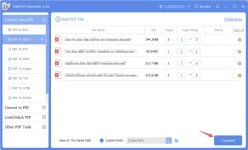
2. After completing the upload press the Convert button
3. it will download automatically after the conversion
4. Now right click the downloaded PDF file then click on Properties
5. Click unblock and apply
6. Open MSWord the go to open
7. Select the downloaded file and DONE
1. MSWord 2003 or Higher Version
Procedure:
1. Upload your the protected Pdf file to:You do not have permission to view the full content of this post. Log in or register now.
2. After completing the upload press the Convert button
3. it will download automatically after the conversion
4. Now right click the downloaded PDF file then click on Properties
5. Click unblock and apply
6. Open MSWord the go to open
7. Select the downloaded file and DONE