 PH
PHJessica Lee
Owner of VolantSSH
Swak VPN V2.0 ( Freemium and Solo Server )
NOTE: Uninstall Muna Old Swak VPN,
Network and Promos:
SUN: TU, CTC ,CTU PROMOS
GLOBE TM: GOWATCH, GOSURF|EZSURF, FREEBIES
SMART TNT: GIGASTORIES ,GIGAGAMES
TNT: ML10
How To Use?
NOTE: After You Download Click Navigation Drawer and Click Configs Update Be Sure You Have Enough Data Balance To Update Configs.
GUIDE FOR FREEMIUM SERVER
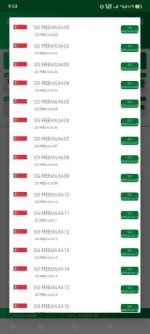
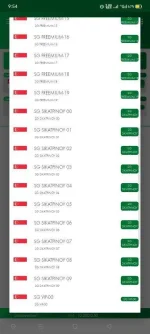
1. Choose Freemium Server
2. Then Choose Promos
3. Then Tap " Start Inject"
PS: No Need User and Pass On Freemium Server
GUIDE FOR SIKATPINOY SERVER
1. Choose SikatPinoy Server
2. Then Choose Promos
3. Click Navigation Drawer
4. Click Create Account
5. Login using the credentials na nasa Site
6. Generate VPN Account
7. Copy User At Pass
8. Then Tap Connect
9. Paste Mo User At Pass Na Ginawa mo Dun
10. Then Done!
GOOD FOR:
✓ Online Games
✓ Youtube
✓ Surfing
✓ Downloading | Uploading
✓ And many more
Download Swak VPN Now:
https://phc.onl/#forbidden#.icu/1iZL
Alternative Download Link:
Thank you SikatPinoy For Sharing Your VPN panel to our VPN
Feedback Kayo Mga Lods

NOTE: Uninstall Muna Old Swak VPN,
Network and Promos:
SUN: TU, CTC ,CTU PROMOS
GLOBE TM: GOWATCH, GOSURF|EZSURF, FREEBIES
SMART TNT: GIGASTORIES ,GIGAGAMES
TNT: ML10
How To Use?
NOTE: After You Download Click Navigation Drawer and Click Configs Update Be Sure You Have Enough Data Balance To Update Configs.
GUIDE FOR FREEMIUM SERVER
1. Choose Freemium Server
2. Then Choose Promos
3. Then Tap " Start Inject"
PS: No Need User and Pass On Freemium Server
GUIDE FOR SIKATPINOY SERVER
1. Choose SikatPinoy Server
2. Then Choose Promos
3. Click Navigation Drawer
4. Click Create Account
5. Login using the credentials na nasa Site
6. Generate VPN Account
7. Copy User At Pass
8. Then Tap Connect
9. Paste Mo User At Pass Na Ginawa mo Dun
10. Then Done!
GOOD FOR:
✓ Online Games
✓ Youtube
✓ Surfing
✓ Downloading | Uploading
✓ And many more
Download Swak VPN Now:
https://phc.onl/#forbidden#.icu/1iZL
Alternative Download Link:
Spoiler contents are visible only to Established Members.
Thank you SikatPinoy For Sharing Your VPN panel to our VPN
Feedback Kayo Mga Lods