SOLVED | Help! SATA Adapter to USB 2.0

Status
Not open for further replies.

Nicxs

Forum Veteran
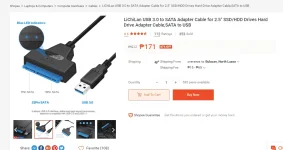
Ok po ba to na connector sa Shopee?
Fit po kaya eto sa slot ng hard drive na tatanggalin ko sa isang laptop at at icoconnect as external drive sa isa pang laptop?
Ang kinakatakot ko lang po kasi eh baka di sya mag fit dun sa slot ng hard drive and di ko magamit.

Thank sa lahat ng mag aadvice at sasagot :)
Untitled.webp
 
I can't understand what you want to do from it

but it is used to connect a hard drive ( internal hard drive removed from a laptop ) as an external hard drive

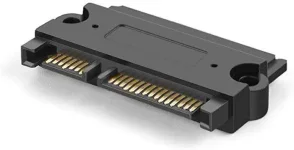
its a 22 pin SATA adapter
your hard drive pins look like this
51LfGJm1q0L._AC_SY355_.webp
 
I can't understand what you want to do from it

but it is used to connect a hard drive ( internal hard drive removed from a laptop ) as an external hard drive

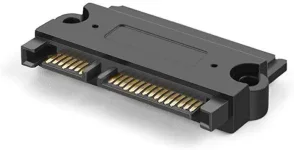
its a 22 pin SATA adapter
your hard drive pins look like this
51LfGJm1q0L._AC_SY355_.webp
Oh sorry i forgot to include what my purpose is.
thanks for replying :)
What I wanted to do is to replace the old HDD of my macbook pro, and change it with my windows HDD since and wanted to use OLD HDD of mac as external drive :)
 
[XX='Jhainemo429, c: 57839, m: 1568161'][/XX]
almost every desktop had is 3.5-inch hdd
until the desktop is made sooooo small
 
that means you know how to flash your HDD to macOS right?

and you also know that your mac HDD is not soldered?
 
[XX='anubhav, c: 57846, m: 1736518'][/XX] oh I see, thank you so much for clarifying this as your take time to reply :)
Appreciate it :)
So it is better to say that I should buy SATA Adapter that supports both 2.5 and 3.5 inch HDD/SSD? Am I right?
 
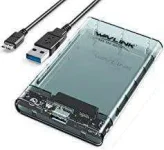
standard naman ang port nyan SATA but kung gusto mo gawing external. you should buy an enclosure like Orico enclosures for the safety of the hard drive
 
[XX='anubhav, c: 57851, m: 1736518'][/XX] To be honest I do not know yet how to do that, but I am focusing more on the items that I will be using before so.
I wanted to make sure that all the items that I will be using for the process will work fine as I do not want to worry of not being able to complete it on a later time.

And yes I know that my mac hdd is not soldered :)
P.s Have tried removing it already
 
[XX='Jhainemo429, c: 57852, m: 1568161'][/XX]
well i don't know why this adapter provider writes 2.5-inch HDD
as both 3.5 and 2.5 inch SATA ports are same

you have to take size in mind if you are buying the case like this
71r1wNFOpQL._AC_UY218_.webp
 
maybe try cloning your existing drive to the new one ? i don't know if it will work on macs but it is worth trying. will save a lot of time doing backup and restoration
 
[XX='anubhav, c: 57871, m: 1736518'][/XX] thanks for the suggestion.
I will take note of that
 
[XX='PHC-Hershey, c: 57880, m: 936846'][/XX] thank you, yeah you are right, I can do that, I watched a youtub3 tutorial already lol xx
What I am more concern about is the files that I have on the windows HDD, I wanted to secure the files first before formatting it to mac os x supported HDD
 
[XX='PHC-Hershey, c: 57905, m: 936846'][/XX] Will do thank you so much for all the clarifications guys.
Appreciate it! :)
 
Status
Not open for further replies.

About this Thread

  • 17
    Replies
  • 570
    Views
  • 4
    Participants
Last reply from:
Nicxs

Trending Topics

Online now

Members online
952
Guests online
1,360
Total visitors
2,312

Forum statistics

Threads
2,272,865
Posts
28,945,913
Members
1,236,445
Latest member
zy2024
Back
Top