 PH
PHHOW TO DOWNLOAD BATCH/INDIVIDUAL EP ANIME on 4Anime.to
1. First Go to this You do not have permission to view the full content of this post. Log in or register now.
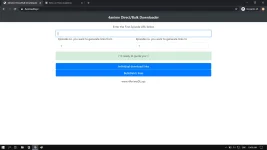
2. Go to You do not have permission to view the full content of this post. Log in or register now. and Choose your favorite anime want to download.
After you Choose "Click EP1"
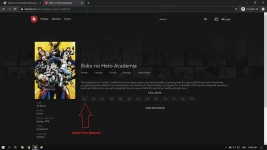
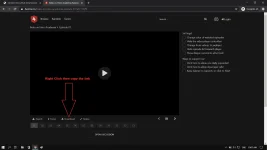
3. Right Click on "Download" and copy the Link.
4. Then back to You do not have permission to view the full content of this post. Log in or register now. and paste the link & choose/input last episode or the last ep you want to download.
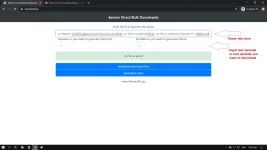
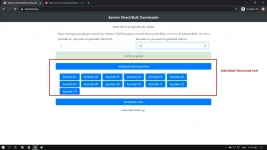
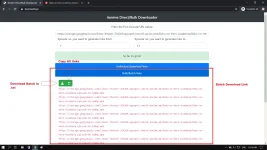
5. Now you can Choose if "Batch Link or Individual Link" then download the lists.txt or copy and paste or .txt .
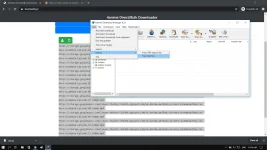
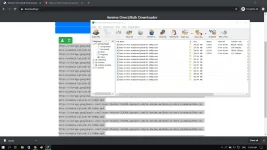
6. Now open your IDM and follow on Images.
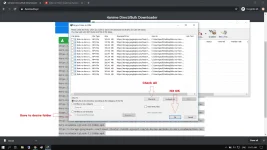
7. Now Check All Episode then choose if you want to save on folder then hit "OK"
8. Done its downloading batch now!!! Congrats!
1. First Go to this You do not have permission to view the full content of this post. Log in or register now.
2. Go to You do not have permission to view the full content of this post. Log in or register now. and Choose your favorite anime want to download.
After you Choose "Click EP1"
3. Right Click on "Download" and copy the Link.
4. Then back to You do not have permission to view the full content of this post. Log in or register now. and paste the link & choose/input last episode or the last ep you want to download.
5. Now you can Choose if "Batch Link or Individual Link" then download the lists.txt or copy and paste or .txt .
6. Now open your IDM and follow on Images.
7. Now Check All Episode then choose if you want to save on folder then hit "OK"
8. Done its downloading batch now!!! Congrats!