 PH
PH
Nova Launcher
Screenshots
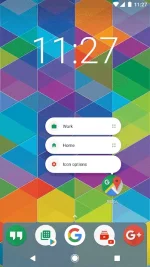
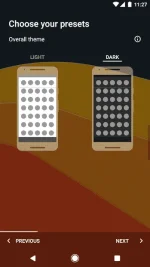
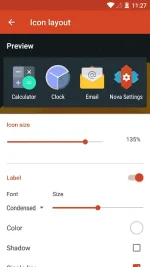
App Description
Nova Launcher is a powerful, customizable, and versatile home screen replacement. Nova brings advanced features to enhance your home screens, but still remains a great, user-friendly choice for everyone. Whether you want to completely overhaul your home screens or are looking for a cleaner, faster home launcher, Nova is the answer.
• The Newest Features: Nova brings the latest Android launcher features to all other phones.
• Custom Icon Themes: Nova supports thousands of icon themes available in the Play Store.
• Night Mode and Dark Theme: Have night mode come on automatically at a specific time, or just leave it on for a dark theme.
• Customizable App Drawer: Vertical or horizontal scroll, page effects, and card or immersive options are just a few of the things you’ll find available for the app drawer.
• Subgrid Positioning: With the ability to snap icons and widgets in between grid cells, it’s easy to get a precise feel and layout with Nova in a way that’s impossible with most other launchers.
• Backup and Restore: Moving from phone to phone or trying new home screen setups is a snap thanks to Nova’s backup and restore feature. Backups can be stored locally or saved to the cloud for easy transfers.
• Speed: Nova is highly optimized, with smooth and snappy animations that will even older phones a fast and fluid feel.
Do more with Nova Launcher Prime
Unlock Nova Launcher’s full potential with Nova Launcher Prime:
• Gestures: Swipe, pinch, double tap, and more on the home screen to execute custom commands.
• App Drawer Groups: Create custom tabs or folders in the app drawer for an ultra-organized feel.
• Hide Apps: Remove apps from the app drawer without uninstalling them.
• Custom Icon Swipe Gestures: Assign swipe gestures to home screen icons or folders for custom actions.
• …and more. More scrolling effects, unread counts, and others.
This app uses the Device Administrator permission for optional screen off/lock functionality.
App Details
- Developer: Teslacoil Software
- Category: Personalization
- Content Rating: USK: All ages
- Required Android Version: Varies with device
- Size: Varies with device (Taken from the Google Play Store)
- Latest Google Play Version: Varies with device
Mod Info
Prime features unlocked - no additional key needed.
This app has no advertisements
You do not have permission to view the full content of this post. Log in or register now.