 PH
PHLight Manager Pro v7.5
Requires Android: 2.1 and Up
Configure LED color!
Light Manager Pro
What’s in this version :
- Fix crash when restoring backup for screen mode (Clear app cache if you are still having crash issue)
-Fixed SMS LED notification remains blinking issue
App Review;
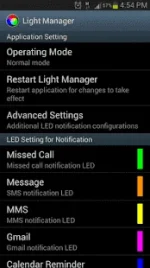
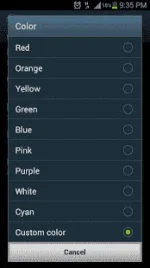
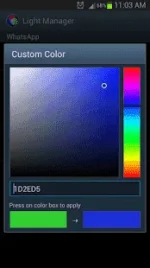
Configure LED color and its flashing frequency for notification as shown below:
There are two operating modes:
For Samsung Galaxy SIII (JB):

Download : You do not have permission to view the full content of this post. Log in or register now.
Requires Android: 2.1 and Up
Configure LED color!
Light Manager Pro
What’s in this version :
- Fix crash when restoring backup for screen mode (Clear app cache if you are still having crash issue)
-Fixed SMS LED notification remains blinking issue
- Fixed missed call LED notification remains blinking after reject
- Fixed 2nd Gmail LED notification not working
- Fixed battery drain issue
- Fixed facebook, fb messenger, handcent SMS, BBM notification LED not working on Android 4.2 and below
- Added show date on screen mode
- Added screen brightness threshold setting for Screen Mode
- Allow hike messenger, skype system app in application list
- Added some missing translation
App Review;
Configure LED color and its flashing frequency for notification as shown below:
- Miss call
- SMS
- MMS
- Gmail
- Calendar reminder
- Hangouts
- Facebook Messenger
- BBM
- LINE
- GO SMS Pro
- Handcent SMS
- chomp SMS
- Any 3rd party apps
- Low battery
- Battery charging
- Battery charged
- No signal
- No 3G/4G
- No Wifi
- Silent Mode On
- Vibration Mode On
- Ringer Mode On
- Mobile Data On
- Wifi On
- Wifi Hotspot On
- Bluetooth On
There are two operating modes:
- Normal Mode – Only LED color for the first notification will be flashing
- Alternating Mode – A few LED colors will be flashing alternately when multiple notifications are received
For Samsung Galaxy SIII (JB):
- Device’s screen needs to be turned off in order for the notification LED to work
- You need to go to Setting > Display > LED indicator and enable “Notifications” in order for this application to work
Download : You do not have permission to view the full content of this post. Log in or register now.


