 PH
PHYou do not have permission to view the full content of this post.
Log in or register now.
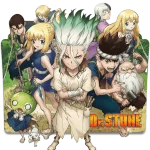
How to Customize Folder icons in Windows
Step 1: Right-click on a folder you want to customize and select "Properties."
Step 2: In the "Customize" tab, go to the "Folder icons" section and click the "Change Icon" button.
Step 3: Choose the downloaded icon then "apply" & click "ok"
Libre Mag Request. Just comment The anime title na Gusto niyong gawan ko ng Folder icon
How to Customize Folder icons in Windows
Step 1: Right-click on a folder you want to customize and select "Properties."
Step 2: In the "Customize" tab, go to the "Folder icons" section and click the "Change Icon" button.
Step 3: Choose the downloaded icon then "apply" & click "ok"
Libre Mag Request. Just comment The anime title na Gusto niyong gawan ko ng Folder icon