 PH
PHCamCard – Business Card Reader v6.1.5
Requires :Android : varies with device
No. 1 business card scanning app, loved by 100 million users!
CamCard – Business Card Reader
What’s in this version :
CamCard reads and saves your business cards, remembering everyone you meet for business. It is the perfect fit for those who have lots of business cards or who love business social networking.
Features:
Cut Card Clutter
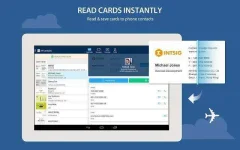
Quickly & accurately read business cards and save to your phone.
Exchange E-Cards
Exchange e-cards with contacts via QR Code, Card Radar or Private Group.
Contacts for Business Only
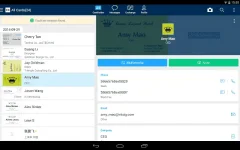
Make a standalone Contacts from your personal one. Make calls, send messages and locate company address on map.
Personal Profile
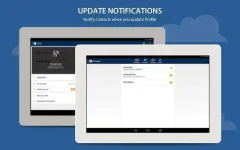
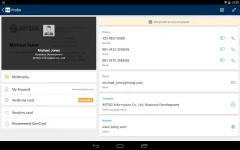
Enrich your profile with more information. Your contacts will be notified with every update of yours.
Keep You Posted
Get notifications on any updates of your business contacts. Be the first one to greet them on their promotions, new jobs or others.
Share Easily
Share cards via email, social network or QR code.
Company News
Get to know your customer’s company news instantly. Use it to break the ice and start a good conversation.
Lite CRM on your Mobile
Add notes in texts/image format, set reminders for follow-up. Remember every lead’s details to transfer them to a customer.
Manage Contacts on the Go
All your customer information can be synced across your smartphone, tablet and computer for easy management on the go.
Support 16 recognition languages: Traditional Chinese, Simplified Chinese, Danish, Dutch, Finnish, Korean, Norwegian, Japanese, English, French, German, Spanish, Portuguese, Hungarian, Italian, Swedish, Russian.
Check out INTSIG’s other apps


Download : You do not have permission to view the full content of this post. Log in or register now.
Requires :Android : varies with device
No. 1 business card scanning app, loved by 100 million users!
CamCard – Business Card Reader
What’s in this version :
- Optimized app interface & experience
- Moved Group section to left side bar
- Nearby Contacts upgraded to Card Radar, meet new friends nearby
- Optimized Note feature: support image/text note to keep track of all your communication activities
- Show all your contacts near your current location in map
- Add additional email and phone numbers to Profile
- Caller ID displays more details when receiving calls
- Exchange cards in Private Group via invite code
- Exchange cards via QR code
CamCard reads and saves your business cards, remembering everyone you meet for business. It is the perfect fit for those who have lots of business cards or who love business social networking.
Features:
Cut Card Clutter
Quickly & accurately read business cards and save to your phone.
Exchange E-Cards
Exchange e-cards with contacts via QR Code, Card Radar or Private Group.
Contacts for Business Only
Make a standalone Contacts from your personal one. Make calls, send messages and locate company address on map.
Personal Profile
Enrich your profile with more information. Your contacts will be notified with every update of yours.
Keep You Posted
Get notifications on any updates of your business contacts. Be the first one to greet them on their promotions, new jobs or others.
Share Easily
Share cards via email, social network or QR code.
Company News
Get to know your customer’s company news instantly. Use it to break the ice and start a good conversation.
Lite CRM on your Mobile
Add notes in texts/image format, set reminders for follow-up. Remember every lead’s details to transfer them to a customer.
Manage Contacts on the Go
All your customer information can be synced across your smartphone, tablet and computer for easy management on the go.
Support 16 recognition languages: Traditional Chinese, Simplified Chinese, Danish, Dutch, Finnish, Korean, Norwegian, Japanese, English, French, German, Spanish, Portuguese, Hungarian, Italian, Swedish, Russian.
Check out INTSIG’s other apps
- CamScanner – Document scanning and sharing app
- CamDictionary – Snap Translator
- InNote – Best handwriting note app
Download : You do not have permission to view the full content of this post. Log in or register now.


