 PH
PHThe Real One
Forum Expert

AGAXENT SCREEN SAVER TIMER FOR PISONET Or COMSHOP
INFO
- SET IDLE TIME IN YOUR OWN CONVENIENCE
- POWERFUL AUTOSHUTDOWN EVEN IF MANY PROGRAM RUNNING
- FREE OF CHARGE
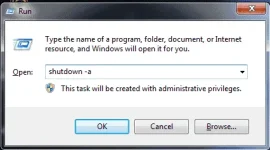
1. Run Dialog Box and type shutdown -a
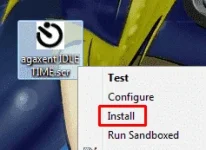
2. right click agaxent IDLE TIME.scr and click install
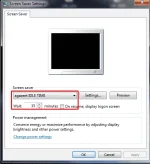
3. this is the tricky part, you need a fast hand for this, after click install autoshutdown box will appear and shutdown in ten seconds thats the time you press ok in the RUNBOX in PART 1 to cancel the shutdown timer.. once succeed you can now configure the idle time you like
==LINK DOWNLOAD==

You do not have permission to view the full content of this post. Log in or register now.


