 PH
PH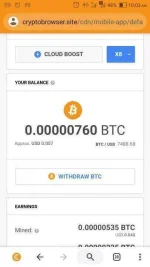
You do not have permission to view the full content of this post. Log in or register now.
What is CryptoTab Browser?
CryptoTab Browser is a free lightweight browser empowered with additional functionality for Bitcoin mining. It can be personalized according to your wishes with thousands of available extensions to extend the browser’s functionality and make your browsing experience fast and comfortable.
EN
Frequently Asked Questions
Check our FAQ to clarify your vision about CryptoTab Browser and its possibilities.
CryptoTab Browser
What is CryptoTab Browser?
CryptoTab Browser is a free lightweight browser empowered with additional functionality for Bitcoin mining. It can be personalized according to your wishes with thousands of available extensions to extend the browser’s functionality and make your browsing experience fast and comfortable.
How is CryptoTab Browser different from other popular browsers?
CryptoTab Browser is one-of-a-kind software developed specifically for mining Bitcoins. It has a built-in mining algorithm allowing you to simply browse the web and earn Bitcoins right in your account. What is more, as a CryptoTab Browser user, you are able to participate in our referral program, where you can invite friends, promote CryptoTab Browser through social media and get additional earnings.
How can I install CryptoTab Browser?
CryptoTab Browser is available on our website You do not have permission to view the full content of this post. Log in or register now..
Please follow these few simple steps to get started.
Download the installation file.
If prompted, click Run or Save.
If you chose Save, double-click the download to start installing.
Start CryptoTab Browser
Once installed, you will be offered to sign in with your Google Account to import your settings, including bookmarks, favorites, history and saved passwords, from your current browser, or make CryptoTab Browser a default browser for your convenience.
How to activate mining?
Right after installation, you need to open your browser and click on CryptoTab icon in the right upper corner. In the opened window, you will be able to turn mining On and adjust your mining speed. You will be mining as long as your browser is open and mining mode is on. Surf the Internet the way you normally do and earn Bitcoins!
When can I request a withdrawal?
You need to earn at least 0.00001 BTC which is our minimum amount for withdrawing. It won't take long and you can probably reach this amount right on the first day! And it will take even less time if you invite friends to your mining network
To join please click the link down below.
You do not have permission to view the full content of this post. Log in or register now.