 PH
PHhackmeifyoucan1992
Established
So here's how you can stop Facebook from tracking your activities outside of the app:
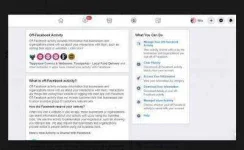
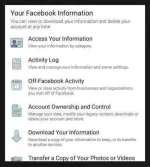
1. Go to "Menu" then select the "Settings" Tab
2. Click "Your Facebook Information"
3. Find and click "Off-Facebook Activity"
4. Go to Manage Future Activity (where you will be asked to verify with your password)
5. Input your password and click "Clear History" to delete your activity logs
6. Go back to the previous page, then click "More options"
7. Click "Manage Future Activity"
8. Press the Future Off-Facebook Activity Toggle
8. Press the "Turn off the Future Off-Facebook Activity" button
1. Go to "Menu" then select the "Settings" Tab
2. Click "Your Facebook Information"
3. Find and click "Off-Facebook Activity"
4. Go to Manage Future Activity (where you will be asked to verify with your password)
5. Input your password and click "Clear History" to delete your activity logs
6. Go back to the previous page, then click "More options"
7. Click "Manage Future Activity"
8. Press the Future Off-Facebook Activity Toggle
8. Press the "Turn off the Future Off-Facebook Activity" button


