PH
PHLast Hokage
Eternal Poster
Mabagal nga mabilis pa si slowdns
try ko bukas sir medyo mahina sagap eh . dinapo ako makalabasoo paki try paps pag gumana mag popost ako panibagong server
sigetry ko bukas sir medyo mahina sagap eh . dinapo ako makalabas
pano pala ang gagawin sir ? hahasige
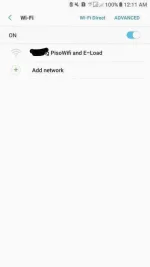
Yes yes. actually tested ko na aa airport at cityhall yan byebye login at 1 hour free inyernet hello unli internet dun hahaanong itry sir? mabypass ko yung piso wifi ganon? salant sa share
coconnect kalangpano pala ang gagawin sir ? haha
Walang limit dito daily heheheMabagal nga mabilis pa si slowdns
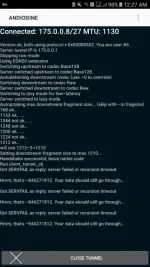
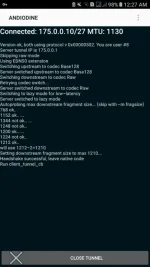
Connect ka lang sa wifi nila tapos connect mo yang iodine then try to browsepano pala ang gagawin sir ? haha
try ko sir pano ba gagawin pwede pm ? lakas pala sa taas namin piso wifi ehcoconnect kalang
connected pero no browse . problema yata di na sila nakapagbayad hahaConnect ka lang sa wifi nila tapos connect mo yang iodine then try to browse
wait mo paps baka pumaloconnected pero no browse . problema yata di na sila nakapagbayad haha
Haha baka nga or try sa browser muna hintay mo mag load or magtime outconnected pero no browse . problema yata di na sila nakapagbayad haha
wala po sir eh ,same lang sa data . mas ayos sana pag mapagana sa wifi to kahit dina gumamit vpn hahawait mo paps baka pumalo
At least na bypass parin and dns hahawait mo paps baka pumalo
nong napagana moba sa airport naglogin kapa or ganyan lang sa ginawa ko? bilis po ba sir?At least na bypass parin and dns haha
Try mo sir palitan Nameserver Mode to SET_CUSTOM tapos lagay mo sa Nameserver 8.8.8.8 pati Request Type from TXT to AUTODETECT then try mo ulitwala po sir eh ,same lang sa data . mas ayos sana pag mapagana sa wifi to kahit dina gumamit vpn haha