 PH
PH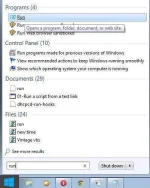
1, Click start and search Run
--------------------------------------------------------------------------------
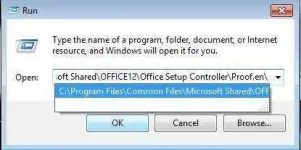
2,Put the code and click okay, and you will be redirected with this folder
---------------------------------------------------------------------------------
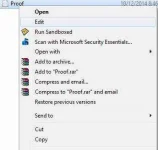
3, You will see Proof.en, right click then edit
---------------------------------------------------------------------------
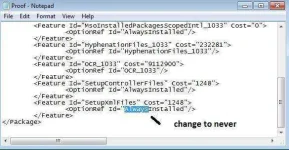
4, This will appear,after you click edit, then Change "Always" to "never"
-------------------------------------------------------------------------------
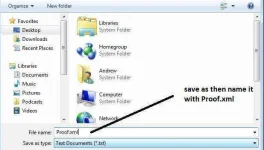
5,Save as and name it with Proof.xml
-----------------------------------------------------------------
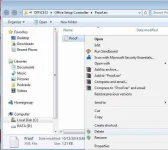
6,After you save your work, return to the main folder code, the original Proof.en, delete it and replace with your new Proof.en (the one we edit) after that your win office 2007 is activated

Code for 32 bit: C:\Program Files\Common Files\Microsoft Shared\OFFICE12\Office Setup Controller\Proof.en\
Code for 64 bit: C:\Program Files (x86)\Common Files\Microsoft Shared\OFFICE12\Office Setup Controller\Proof.en\
Hope it helps

[HASHTAG]#medyopogi[/HASHTAG]