 PH
PH-
Welcome to PHCorner Forums! Sign up for free to unlock full access and exclusive privileges, including:
- Asking questions about computer and mobile issues
- Discovering internet tips for your mobile network and computer
You are using an out of date browser. It may not display this or other websites correctly.
You should upgrade or use an alternative browser.
You should upgrade or use an alternative browser.
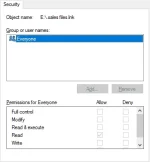
🔒 Closed All Shortcut Icons Changed to .LNK Files Image
- Thread starter Kyoshin
- Start date
- Status
- Not open for further replies.
- Status
- Not open for further replies.
About this Thread
-
1Replies
-
358Views
-
2Participants
Last reply from:
bunoy03
bunoy03
New Topics
-
TEMPORARY EMAIL NA HINDI NADEDETECT AS TEMPORARY EMAIL
- Started by 21banana
- Replies: 1
- ❓ Computer Discussion & Support
-
Looking for CSI ETABS Ultimate 2026 v23.2 Acïvâør
- Started by talaotep
- Replies: 0
- ❓ Computer Discussion & Support
-
I need help about my pc
- Started by lex2133
- Replies: 6
- ❓ Computer Discussion & Support
-
Start up boot so slow?
- Started by babyoriokiko
- Replies: 21
- ❓ Computer Discussion & Support
-
Patulong po about sa reset sa pc
- Started by toledo095
- Replies: 2
- ❓ Computer Discussion & Support
-
Help how to download and install part file
- Started by ECLIPVEIL
- Replies: 2
- ❓ Computer Discussion & Support
-
Pc repair estimated price help
- Started by Anchora
- Replies: 7
- ❓ Computer Discussion & Support
-
Boot manager missing
- Started by Scare You
- Replies: 5
- ❓ Computer Discussion & Support
Trending Topics
Online now
- Members online
- 1,215
- Guests online
- 12,297
- Total visitors
- 13,512