 PH
PHGuidelines for data 1st consume.
Steps:
1) Off data 1st
(SAO or LoadProtect *Optional)
2) Setup your elite/transparent rp in your APN with load or APN noload ( FYI... there is noload setup just wait until the config would be release but I doubt it )
3) Load easySurf50 or GoSurf50 or other network PROMO atleast with Mobile Legends data
4) Send Text EZ50 WNP or SNS or LND or According to your promo to 8080 for GTM for STNTS just text your own familiarized promo code
5) ON data -> ON/RUN your VPN with payload according to your promo
6) Check n Surf the net and visit a website to test if you can bypass MB capping with the following test site:
->xvideos or ->related sites or ->secret confidential files ->blocked page or ->related sites known as blocked in your country or ->feedback your own familiarized sites with this loading page blocked message
7) Check your data balance regularly
8) If the above does't works, the problem is your payload or your VPN, your VPN or TUNNELLING must tunnel your whole device to insure bypassing blocked sites in your country
9) Insure to optimized your apps that can consume data running in the background, try to avoid apps consuming data
10) Immediately turned off your data if your allocated data from your promo is still consumed
11) Lastly, Remider: You need a backup simcards for testing
You can find another way if it's does't works.
Just post a feedback...thanks
Happy april 1
I hope it will help you.
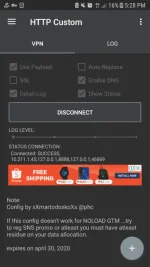
Edited: Please try my config for http custom for android here's the link
SNS PRMO GTM April 2 Config click You do not have permission to view the full content of this post. Log in or register now.
Try it... I put a little instruction there after you imported it.
note: You must install the app Http Custom.
Proof:
no page blocked message
Steps:
1) Off data 1st
(SAO or LoadProtect *Optional)
2) Setup your elite/transparent rp in your APN with load or APN noload ( FYI... there is noload setup
just wait until the config would be release but I doubt it )3) Load easySurf50 or GoSurf50 or other network PROMO atleast with Mobile Legends data
4) Send Text EZ50 WNP or SNS or LND or According to your promo to 8080 for GTM for STNTS just text your own familiarized promo code
5) ON data -> ON/RUN your VPN with payload according to your promo
6) Check n Surf the net and visit a website to test if you can bypass MB capping with the following test site:
->xvideos or ->related sites or ->secret confidential files ->blocked page or ->related sites known as blocked in your country or ->feedback your own familiarized sites with this loading page blocked message
7) Check your data balance regularly
8) If the above does't works, the problem is your payload or your VPN, your VPN or TUNNELLING must tunnel your whole device to insure bypassing blocked sites in your country
9) Insure to optimized your apps that can consume data running in the background, try to avoid apps consuming data
10) Immediately turned off your data if your allocated data from your promo is still consumed
11) Lastly, Remider: You need a backup simcards for testing
You can find another way if it's does't works.
Just post a feedback...thanks
Happy april 1
I hope it will help you.
Edited: Please try my config for http custom for android here's the link
SNS PRMO GTM April 2 Config click You do not have permission to view the full content of this post. Log in or register now.
Try it... I put a little instruction there after you imported it.
note: You must install the app Http Custom.
Proof:
no page blocked message