 PH
PHPHC-Hershey
Forum Expert
Ang hirap kaya paganahin nung ovpn sa modem hahah  . So I did a little trial and error, combining and editing different configs, so far eto lang gumana sakin.
Just copy and paste this sa ovpn config nyo.
*Note: Tested only sa tcpvpn configs, try on your own sa ibang provider.
Disclaimer: I'm not pro in this field, just exploring for my own benefit. Kaya kung di gumana sayo, di ko alam ang sagot
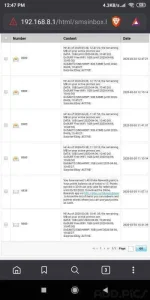
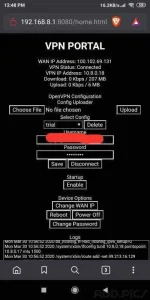
. So I did a little trial and error, combining and editing different configs, so far eto lang gumana sakin.
Code:
client
dev tun
proto tcp
remote [ip] [port]
nobind
tun-mtu 1500
tun-mtu-extra 32
mssfix 1450
persist-key
persist-tun
tls-client
remote-cert-tls server
verb 3
auth-user-pass
auth-nocache
auth-retry interact
comp-lzo
connect-retry 0 1
nice -20
reneg-sec 0
redirect-gateway def1
dhcp-option DNS 1.1.1.1
dhcp-option DNS 1.0.0.1
http-proxy [proxy] [port]
http-proxy-timeout 3
http-proxy-option CUSTOM-HEADER CONNECT HTTP/1.1
http-proxy-option CUSTOM-HEADER Host clients3.google.com
http-proxy-option CUSTOM-HEADER X-Online-Host clients3.google.com
http-proxy-option CUSTOM-HEADER X-Forward-Host clients3.google.com
http-proxy-option CUSTOM-HEADER Connection Keep-Alive
Just copy and paste this sa ovpn config nyo.
*Note: Tested only sa tcpvpn configs, try on your own sa ibang provider.
Disclaimer: I'm not pro in this field, just exploring for my own benefit. Kaya kung di gumana sayo, di ko alam ang sagot
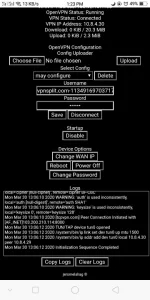

 . Not necessarily needed ko magcheck lagi ng data usage.