🔒 Closed HOW TO GET ANY IN-APP PURCHASES FOR FREE GOOGLE PLAY STORE ONLY

Status
Not open for further replies.

Karmaaaaaaa

Forum Guru

Step 1) Buy the in-app purchase you want from the app itself.

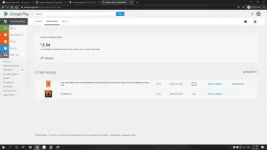
Step 2) Go play.google.com and click the gear icon on the top right corner and select " My account."

Step 3) Find the purchase you made under the order history and click the three dots on the right and click report a problem

Step 4) Select this option " I purchased this but did not receive it"

And write this: When I tried to buy it, the app force closed and the stuff I want is not received "

Step 5 ) They will refund you immediately if the purchase is less than $10, and if it is more than
$50, it will take a few days.


Canceled = Refunded
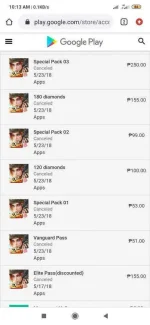
Screenshot_2020-03-28-10-13-24-769_com.android.chrome.jpg
 
Legit yan, sa ros or kahit saan, sa but up to 3 times lang ang pagkakaalam ko na pwede mag refund, kapag nirifund ang pera mo, it's either mag negative ang diamonds mo sa RoS or sa ibang games ma baban kana.
 
Status
Not open for further replies.

About this Thread

  • 32
    Replies
  • 3K
    Views
  • 28
    Participants
Last reply from:
Kurtsuu

Online now

Members online
1,245
Guests online
4,576
Total visitors
5,821

Forum statistics

Threads
2,313,596
Posts
29,174,571
Members
1,184,795
Latest member
Banske0826
Back
Top