 PH
PHPrincessMere
Eternal Poster

P O R N H U B _ P R E M I U M _ T U T O R I A L
How to make your own premium PH accounts
Needed Materials:
- Browser
- VPN
Steps:
1. Open your VPN App, select "Italy" as country and connect. ( I prefer Psiphon, also good for mobile data users )
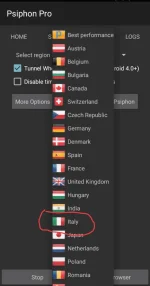
After that, Open your Browser App
Google Chrome Works too
2. First we have to make an e-mail, the best ones can be found in (emailondeck.com)
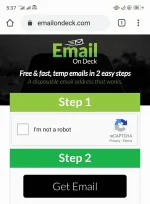
Follow the steps, verify you're not a robot captcha and click "Get Email" button after.
You can also use your own email too.
3. Create a new tab and input the site ( po rnhub.com) remove space. You will see this banner, click on it
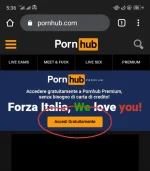
After that, you could pretty well understand the details. Input username, password, and e-mail (If the button didn't work after filling in the details, make sure the text was not copy-pasted)
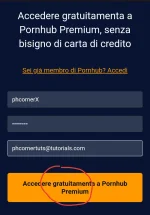
After that, Click the last button, wait for 15 to 30seconds and get back to your email tab.
Click the message sent by P-Hub and verify by clicking the Link to Activate your Account.
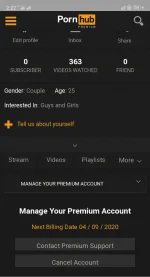
Viola!! You have made your own P-Hub Account
Make sure to log-in using your username at
(po rnhubpremium.com) (remove space)
If you don't have a VPN, you can download what I'm using.
Psiphon Pro
You do not have permission to view the full content of this post. Log in or register now.
Don't have the P-Hub App? Get it here:
You do not have permission to view the full content of this post. Log in or register now.
Soon: Auto-renew

Giving Feedbacks always makes me happy.
Happy Watching


