🔒 Closed Notification toggle premium v3.3.9

Status
Not open for further replies.

La Freak

Forum Master
Yl2JGwp.webp
Notification Toggle Premium v3.3.9
Requires Android:2.1 and up

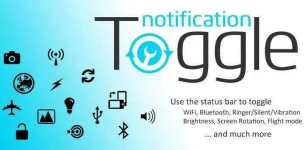
Turn on WiFi, Bluetooth, Flashlight and much more from your notification bar!

Notification Toggle Premium

What’s New
  • - re-enabled root calls on Lollipop (GPS, airplane, etc)
  • - fixed issue with changing the toggle order on some devices
App Review:

Notification Toggle creates notifications in the Android status bar to let you quickly switch WiFi, Bluetooth, Silent mode, Screen rotation and Flight mode on and off or to adjust the screen brigthness (and many more…)
You can also add shortcut to your own apps into the notification bar!

In the settings, you can choose which notifications should be active. All icons & colors can easily be changed through the app for full customization!

New premium feature: Add custom shortcuts, like direct calling a person to your notifications!

Available toggles & shortcuts:
– WiFi
– Bluetooth
– Sound / Vibration, Sound / Silent, Sound menu
– Brightness mode / menu / 5 predefined stages
– Screen timeout dialog
– Wake lock
– Rotation
– Flight mode
– Mobile data
– NFC
– Flashlight (might require TeslaLED)
– Sync & Sync now
– WiFi- & USB-Tethering
– Music: previous / next / pause
– WiFi settings / advanced settings
– Bluetooth settings, Bluetooth visbility
– GPS
– Mobile data settings
– Data usage
– Battery
– Camera
– next Wallpaper (requires WallpaperChanger)
– Lockscreen (requires DelayedLock)
– Shutdown & Reboot (requires root)
– own apps & shortcuts

Screens :

FLc9iLy.webp azCXw2j.webp BJVWFPo.webp

Download : You do not have permission to view the full content of this post. Log in or register now.
 
search-leaf-emoticon.gif
thanks for sharing
victory-sign-leaf-emoticon.gif
 
Yl2JGwp.webp
Notification Toggle Premium v3.3.9
Requires Android:2.1 and up

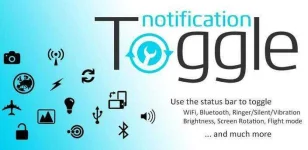
Turn on WiFi, Bluetooth, Flashlight and much more from your notification bar!

Notification Toggle Premium

What’s New
  • - re-enabled root calls on Lollipop (GPS, airplane, etc)
  • - fixed issue with changing the toggle order on some devices
App Review:

Notification Toggle creates notifications in the Android status bar to let you quickly switch WiFi, Bluetooth, Silent mode, Screen rotation and Flight mode on and off or to adjust the screen brigthness (and many more…)
You can also add shortcut to your own apps into the notification bar!

In the settings, you can choose which notifications should be active. All icons & colors can easily be changed through the app for full customization!

New premium feature: Add custom shortcuts, like direct calling a person to your notifications!

Available toggles & shortcuts:
– WiFi
– Bluetooth
– Sound / Vibration, Sound / Silent, Sound menu
– Brightness mode / menu / 5 predefined stages
– Screen timeout dialog
– Wake lock
– Rotation
– Flight mode
– Mobile data
– NFC
– Flashlight (might require TeslaLED)
– Sync & Sync now
– WiFi- & USB-Tethering
– Music: previous / next / pause
– WiFi settings / advanced settings
– Bluetooth settings, Bluetooth visbility
– GPS
– Mobile data settings
– Data usage
– Battery
– Camera
– next Wallpaper (requires WallpaperChanger)
– Lockscreen (requires DelayedLock)
– Shutdown & Reboot (requires root)
– own apps & shortcuts

Screens :

FLc9iLy.webp azCXw2j.webp BJVWFPo.webp

Download : You do not have permission to view the full content of this post. Log in or register now.
thanks dito boss keep sharing
 
Status
Not open for further replies.

About this Thread

  • 8
    Replies
  • 424
    Views
  • 6
    Participants
Last reply from:
bloodtempt

Trending Topics

Online now

Members online
1,084
Guests online
3,752
Total visitors
4,836

Forum statistics

Threads
2,314,157
Posts
29,177,043
Members
1,184,013
Latest member
johnmaeccruz0308
Back
Top