PH
PHtRickzterPH
Honorary Poster
Hello guys share ko lng ito sa inyo dahil mtgal ko itong ginagamit na app c "kodi"
1. Download(sa playstore idk if pwede sa ios) and install the app
2. Open the app, click settings
3. Click system
4. Click add-ons and turn on <unknown sources> click ok
5. Tap back< click file manager < click add source
6. Tap none < type this: xxhttps://team-crew.github.io and click ok
Paki alis nlng ung xx bawal kac dito mg link nang site
7. Type any repository name and click ok
8. Tap back< click addons < click install from zip file. Then click nyo ung file name nang ginawa nyo at click yung laman and wait mag install
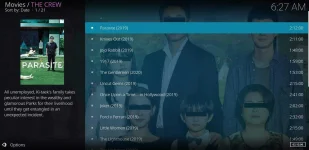
9. Click install from repositry < click the crew repo < video add ons < click the crew and install, wait till matapos
10.tap back 5x then click add ons
Congrats pwede k n manuod nang kht anung movie, kanta livetv etc. gamit ang kodi
Sa nex thread ko ay ituturo ko paano madagdagan mapag sstreaman nang movie at dumami ang 1080p.
enjoy the app for free!
hit like if ngustuhan nyo salamat.
1. Download(sa playstore idk if pwede sa ios) and install the app
2. Open the app, click settings
3. Click system
4. Click add-ons and turn on <unknown sources> click ok
5. Tap back< click file manager < click add source
6. Tap none < type this: xxhttps://team-crew.github.io and click ok
Paki alis nlng ung xx bawal kac dito mg link nang site
7. Type any repository name and click ok
8. Tap back< click addons < click install from zip file. Then click nyo ung file name nang ginawa nyo at click yung laman and wait mag install
9. Click install from repositry < click the crew repo < video add ons < click the crew and install, wait till matapos
10.tap back 5x then click add ons
Congrats pwede k n manuod nang kht anung movie, kanta livetv etc. gamit ang kodi
Sa nex thread ko ay ituturo ko paano madagdagan mapag sstreaman nang movie at dumami ang 1080p.
enjoy the app for free!
hit like if ngustuhan nyo salamat.