🔒 Closed How to run android lollipop v5.0 on pc using pen/flash drive!(guide)

Status
Not open for further replies.

Khim Briones

Forum Expert
android_5_lollipop-on-nvidia-shield-tablet.webp
Android Lollipop v5.0 on PC

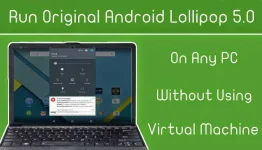
This Epic Tutorial Showing You How To Run Original Android 5.0 Lollipop Source Code On Your PC Without Even Using The Slow Virtual Machine Apps That Makes The System Slow And Buggy.

How to Run ?

  1. First Download Android Lollipop v5.0 ISO & Unet Bootin App from below. You Need Flash/Pen Drive With 2 GB Minimum Size.
  2. Plug Your Pen/Flash Drive To The PC.
  3. Open Unet Bootin App.
  4. Choose “Disk Image” Option To Select The “Android 5.0″ ISO File .
  5. Select Your Flash Drive To Copy The Boot Files From The Android 5.0 ISO File & Then Click On “OK” & Now Unet Bootin Should CreateYour Bootable Flash Drive With Android 5.0 System On It.
  6. Restart Your PC & Boot From Your Flash Drive .
  7. Chose First USB Boot Option To Run Android 5.0 As You Can See.
Screenshots
android-lolipop.webp

Direct Download Links
 

Attachments

makakalaro nako ng COC sa pc ko hehehe, di kasi supported ng processor ko ang virtualization technology or vt-x para sa mga android emulators tulad ng bluestacks. :D
 
bwahahahaha hula ko lite ito sa system. hope ok siya sa playstore at may internet. (y)

noon jellybean need partition sa pc, ito USB lang. hehehe
 
Status
Not open for further replies.

About this Thread

  • 25
    Replies
  • 3K
    Views
  • 21
    Participants
Last reply from:
AphorismXD

Online now

Members online
1,205
Guests online
18,834
Total visitors
20,039

Forum statistics

Threads
2,289,175
Posts
29,056,787
Members
1,213,588
Latest member
Domeng20
Back
Top