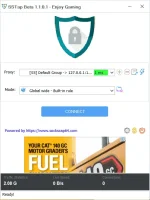
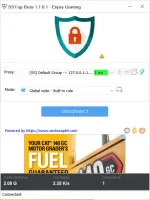
'Andito lahat ng versions:
You do not have permission to view the full content of this post.
Log in or register now. : nasa baba yung latest
Install ninyo with admin rights.
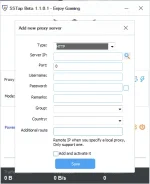
Ito yung sample guides, pero Socks5 ang ginamit or SS link, piliin ninyo yung http option dahil yon ang connection ng proxylite sa nakita ko sa proxifier settings nyan:
You do not have permission to view the full content of this post.
Log in or register now. - use google translate
You do not have permission to view the full content of this post.
Log in or register now.
You do not have permission to view the full content of this post.
Log in or register now.
Note: Uulitin ko, dyan sa ginamit ninyong trick, "https" ang ginamit kaya yung "http" option ang gamitin ninyo sa SSTAP.
Doon sa sinabi mong hindi gumana nang pinatay mo ang proxifier, ang ibig sabihin nyan ay hindi mo binago ng manu-mano sa browser mo nang pinatay mo yung proxifier. Sa proxifier setting kasi, using that profile ng Proxylite pack, ay ginamit na system proxy yung 127.0.0.1:12378. Kaya yung user na yung magbabago sa net settings (proxy settings) ng application (browser/downloader) kung hindi ka gagamit ng proxifier. Yung ptunnel ng proxylite ang trick, hindi yang proxifier. Tandaan mo na yan bosing.
 PH
PH