PH
PHSpectra Phantom
Forum Veteran
Pa click na lang po sa baba yung tut. 
Step 1: Visit one of site below to create an Edu email.
1. You do not have permission to view the full content of this post. Log in or register now.
2. You do not have permission to view the full content of this post. Log in or register now.
3. You do not have permission to view the full content of this post. Log in or register now.
Step 2: Go to this link to sign up for an account. Enter the Edu email that you have just created and then click on Sign Up.
1. You do not have permission to view the full content of this post. Log in or register now.
OR
2. You do not have permission to view the full content of this post. Log in or register now.
Step 3: Fill in all information. In Verification Code box, return to the signup email screen and enter the code. Click on Start
Step 4: When you are in Invite more people section, click on Skip
Step 5: Click on Next in Additional Info Required section. This step is very important, so you should note carefully. Continue to click on Set it Up now and then enter your own email. In case you forget the password later, you can get it back by this email.
Step 6: Once you enter your primary email, click on Email Me and enter your email to get the code. Return to Microsoft page to Verify
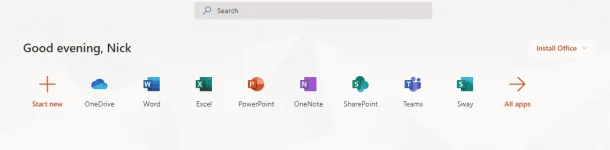
Step 7: Click on Finish to complete the process.
Warning:
Here are some things you should remember to prevent from being locked account. Don’t upload the listed files below:
– Violent content
– Pirated content
– Pirated copyrights
Step 1: Visit one of site below to create an Edu email.
1. You do not have permission to view the full content of this post. Log in or register now.
2. You do not have permission to view the full content of this post. Log in or register now.
3. You do not have permission to view the full content of this post. Log in or register now.
Step 2: Go to this link to sign up for an account. Enter the Edu email that you have just created and then click on Sign Up.
1. You do not have permission to view the full content of this post. Log in or register now.
OR
2. You do not have permission to view the full content of this post. Log in or register now.
Step 3: Fill in all information. In Verification Code box, return to the signup email screen and enter the code. Click on Start
Step 4: When you are in Invite more people section, click on Skip
Step 5: Click on Next in Additional Info Required section. This step is very important, so you should note carefully. Continue to click on Set it Up now and then enter your own email. In case you forget the password later, you can get it back by this email.
Step 6: Once you enter your primary email, click on Email Me and enter your email to get the code. Return to Microsoft page to Verify
Step 7: Click on Finish to complete the process.
Warning:
Here are some things you should remember to prevent from being locked account. Don’t upload the listed files below:
– Violent content
– Pirated content
– Pirated copyrights